Meet

Neura HQ,
Your connected AI Agent Workforce Know more


Create multi-step sequences that adapt to customer behavior, span Instagram to email to WhatsApp, and handle complex scenarios that simple auto-replies can't.
Book a demo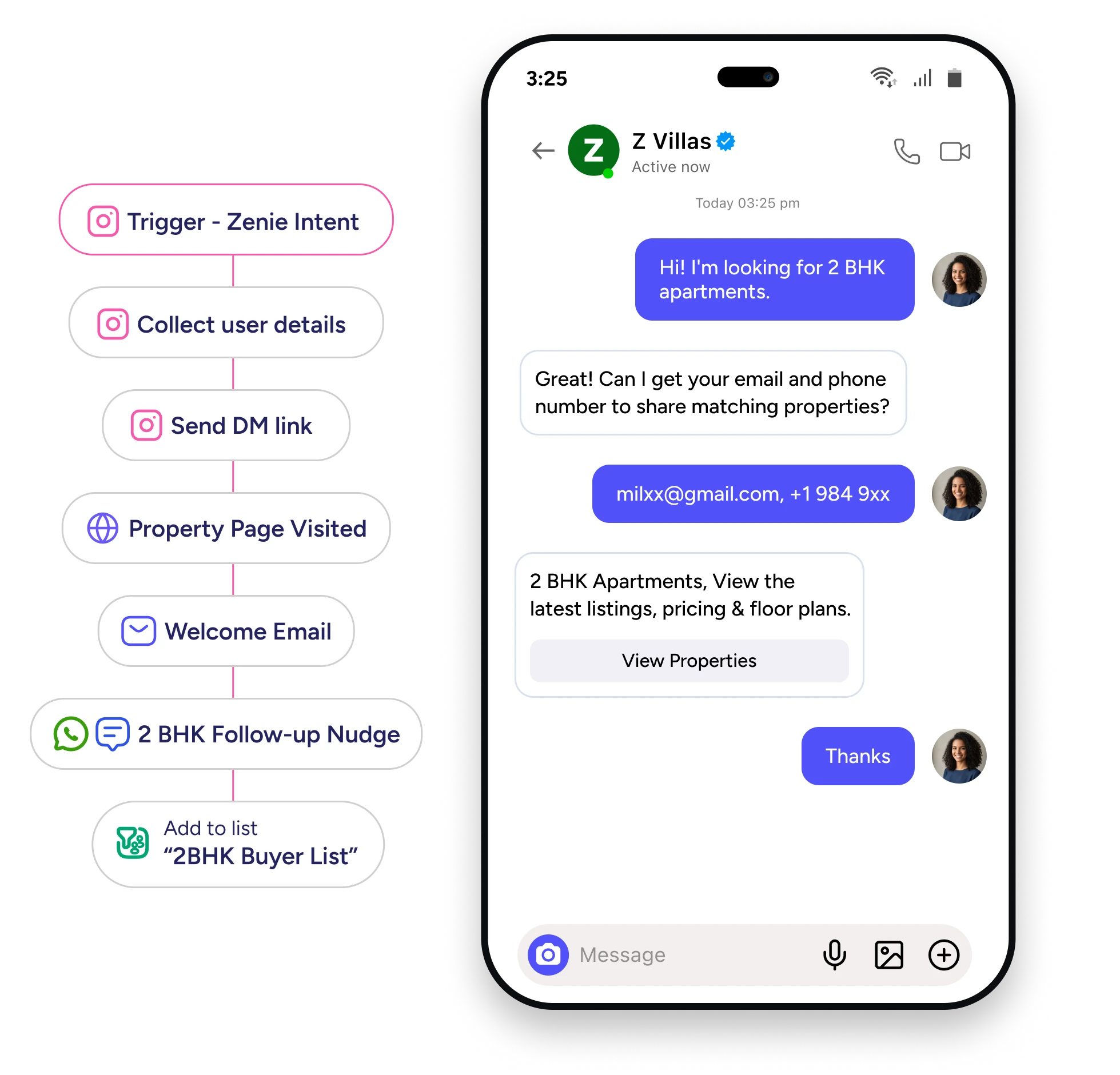






Instagram Flow Automation lets you build custom, multi-step automations that go beyond simple trigger-and-response. While Quick Automations(Instagram AutoDMs) handle common scenarios with pre-built templates, Flow Automation gives you complete control to design sophisticated customer journeys with conditional branching, time delays, cross-channel sequences, and custom logic tailored to your business.
Use Flow Automation when you need to ask follow-up questions based on customer responses, send reminders after specific time periods, route conversations differently based on customer data, or orchestrate experiences across Instagram, email, and WhatsApp in a single workflow.

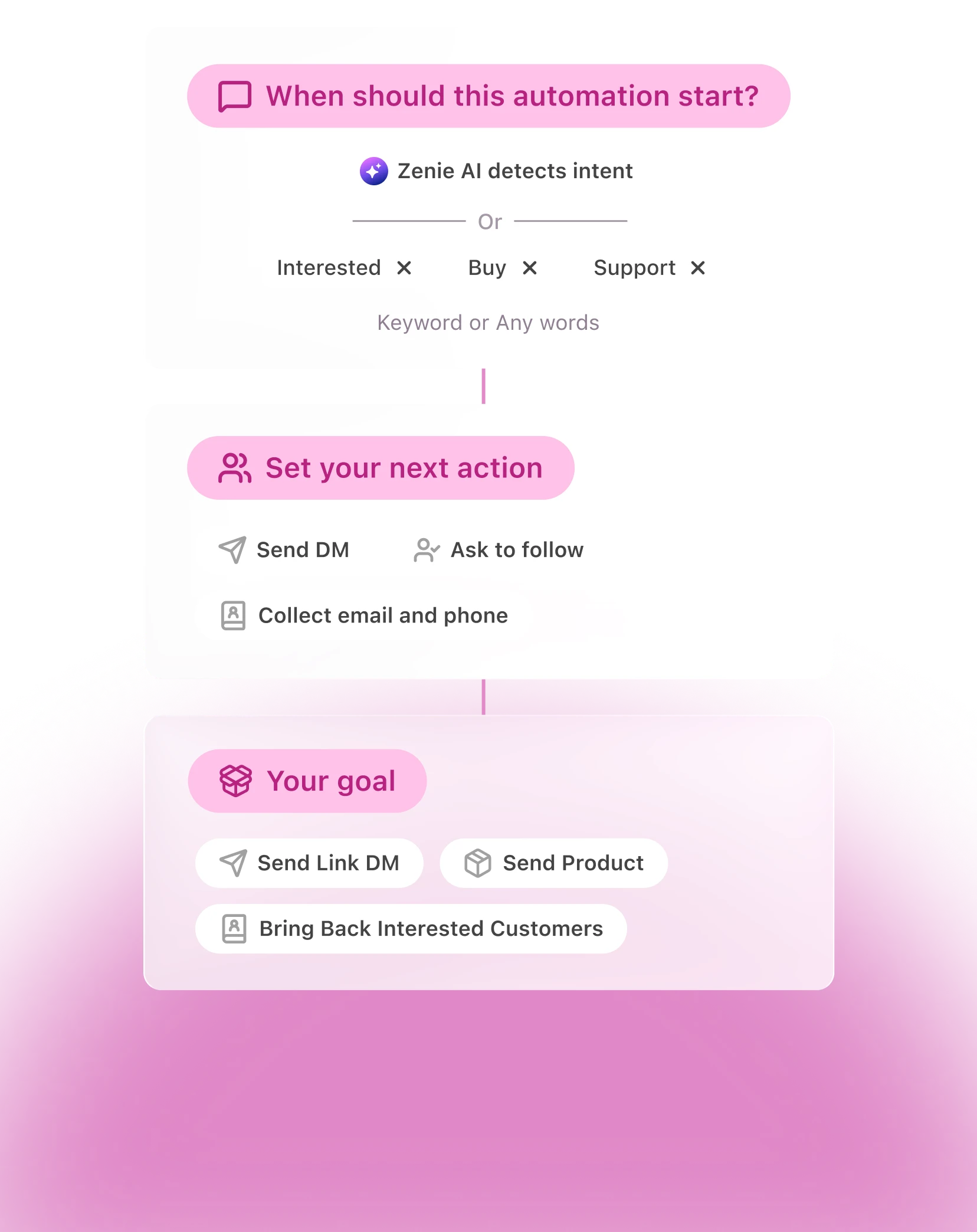
Build flows with drag-and-drop simplicity. Add triggers, actions, and conditional branches to create paths based on customer responses, profile data, or behavior—all without writing code.

Build customer journeys that span multiple interactions. Ask questions, collect information, send content, and guide users through complex processes—all in one automated flow.

Start on Instagram, continue via email, follow up on WhatsApp. Build unified customer experiences that span every channel in your marketing stack.

Leverage Zenie AI for intent detection, smart comment replies, and personalized message generation that adapts to each customer's context and needs.
.svg)
.svg)
Getting started fast with common use cases
.svg)
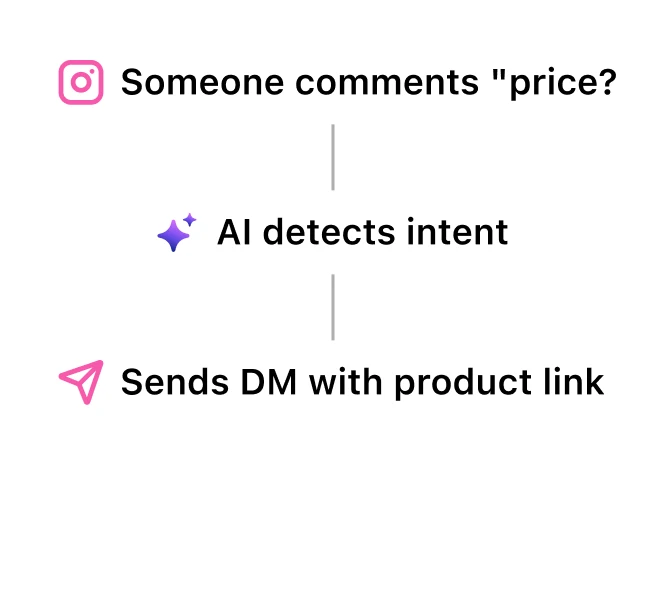

You want instant setup with proven templates that handle 80% of Instagram automation needs
.svg)
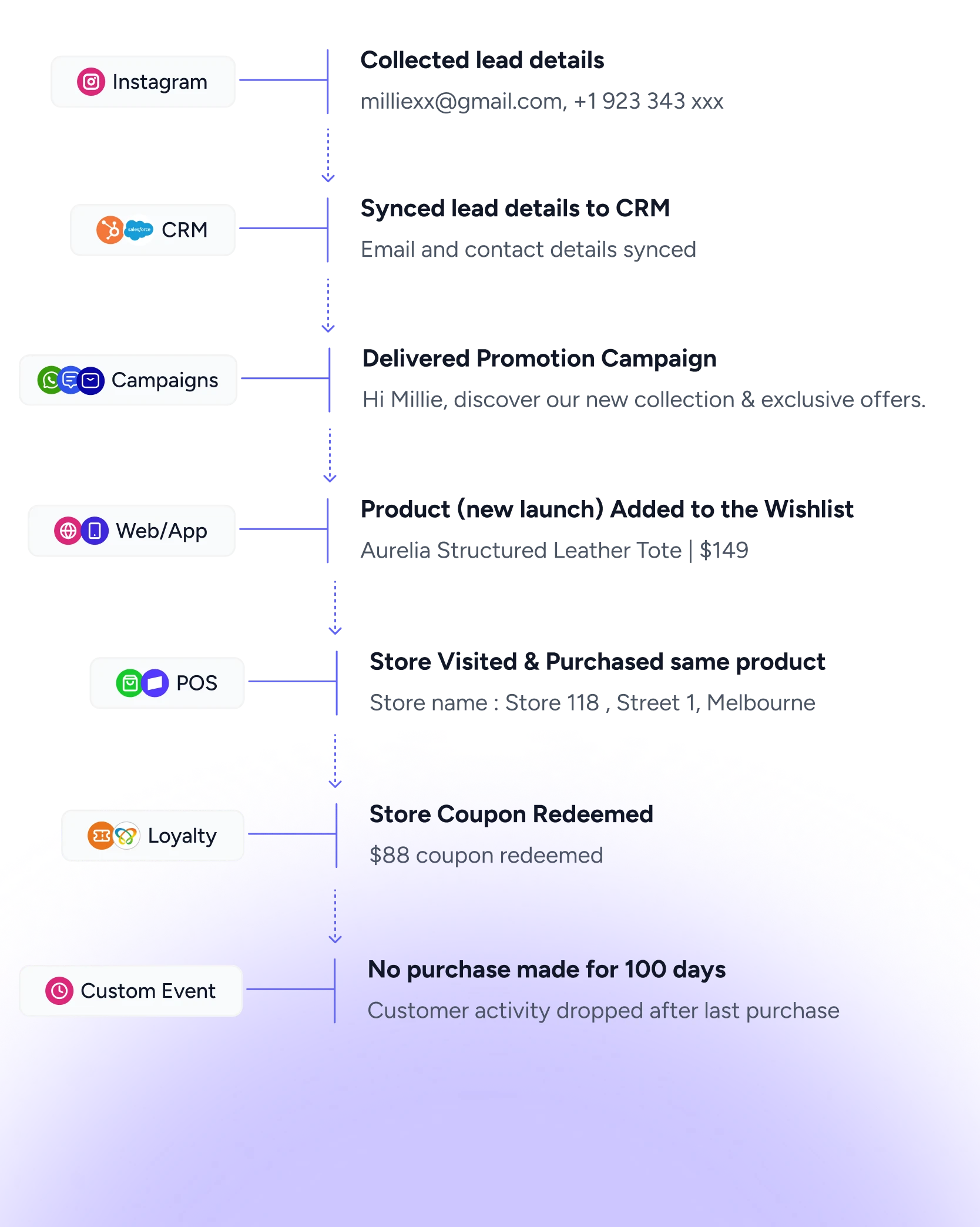
Complex scenarios requiring custom logic
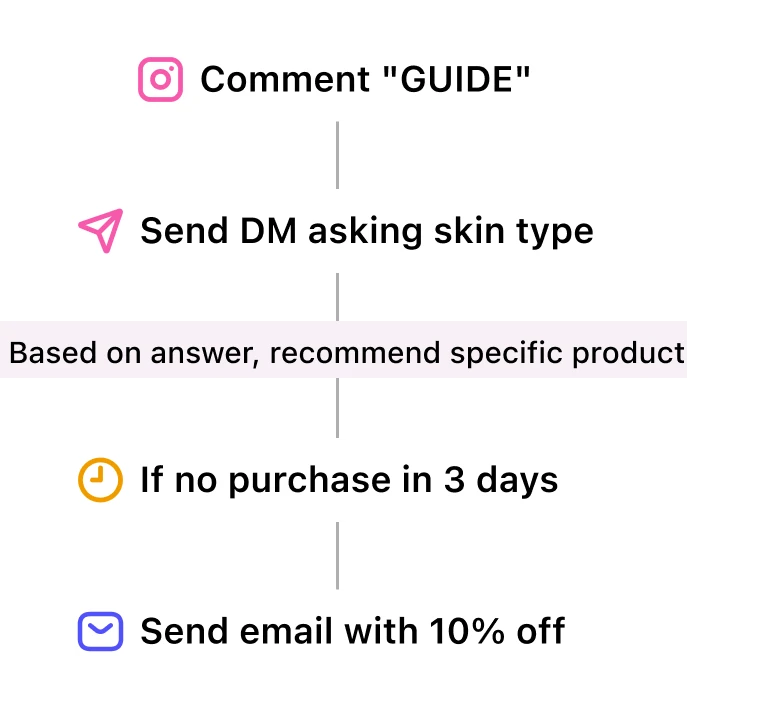
You need advanced workflows that adapt to customer behavior and span multiple touchpoints
Move beyond simple auto-replies. Design customer journeys that adapt to behavior, span multiple channels, and drive measurable results.
Book a DemoNo. Instagram Flows use a visual drag-and-drop builder. Select pre-built blocks for triggers, actions, and logic, then connect them on a canvas. If you can create a flowchart, you can build a Flow.
Yes. Quick Automations and Flows work together. Use Quick Automations for straightforward scenarios (auto-respond to "price?" comments) and Flows for complex journeys (multi-step lead capture with email follow-ups). They don't conflict.
Use Quick Automations when: single trigger → single action is enough, you want instant setup, the scenario matches a pre-built template. Use Flows when: you need multiple steps, customer responses should trigger different paths, you want time-based follow-ups, or you need to orchestrate across Instagram, email, and WhatsApp.
Yes. Flows have access to unified customer profiles, so you can branch logic based on email engagement, past purchases, website behavior, or any other data in ZEPIC. For example: "If customer has purchased before → send VIP offer. If new customer → send welcome discount."
Customers can be enrolled in multiple Flows simultaneously. Each Flow operates independently unless you add exit conditions. For example, a customer could be in a "lead nurture flow" and a "product launch flow" at the same time without conflict.
Yes. You can manually remove customers from active Flows, or build exit conditions that automatically remove them based on actions (e.g., "If customer makes purchase → exit flow"). You can also pause entire Flows to stop new enrollments while letting existing customers complete their journey.
Yes. Add "Wait" blocks to create time-based delays. You can wait for a specific duration (3 days, 6 hours, 2 weeks) or wait until a specific date/time. Flows will automatically resume after the wait period.
There's no time limit. Flows can run for days, weeks, or months with wait blocks. For example, you could build a 90-day nurture sequence that sends touchpoints every week.

%201.png)


