Meet

Neura HQ,
Your connected AI Agent Workforce Know more



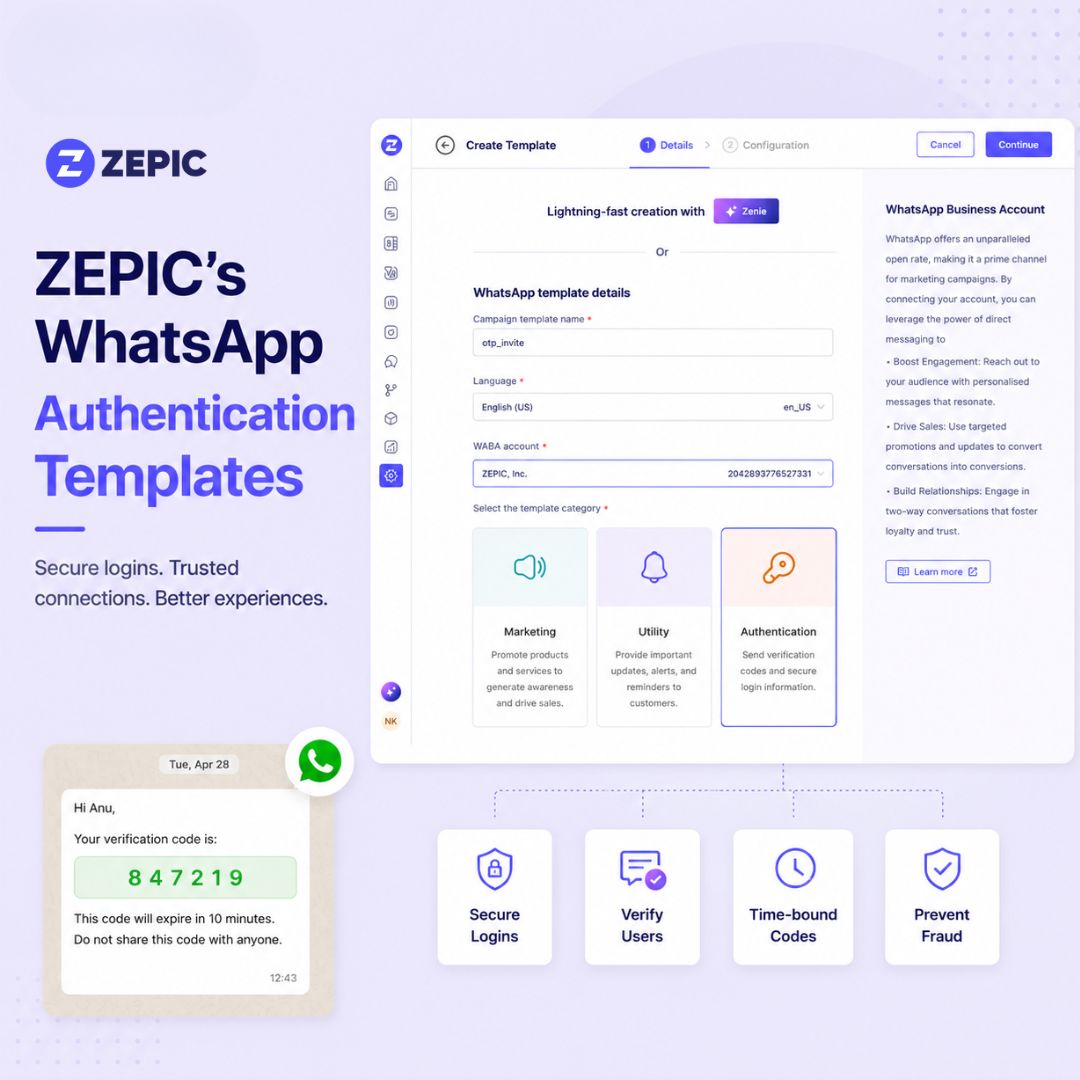
Every business sending one-time passcodes has the same two problems. The first is obvious: codes get delayed, customers get impatient, and verification flows bleed users at exactly the moment they're trying to complete a purchase or log in. The second problem is quieter, and most platforms never solve it: every OTP that passes through a support inbox is also visible to whoever is staffing that inbox.
WhatsApp authentication templates fix the first problem by design. How well a platform fixes the second is what actually separates one WhatsApp provider from another.

OTP masking in Team Inbox: The moment a code lands, ZEPIC hides it from the Team Inbox. Your team can confirm a message went out, but they just can't see what's inside it. So your WhatsApp OTPs are private end-to-end.
Auto-expiring codes: Set how long each OTP stays valid, down to the minute. Once that window closes, a copied code is just a useless string of digits, which shuts the door on replay attacks before they start.
One-tap Copy Code button: Every template ships with a built-in button so customers can copy the code straight to the clipboard instead of reading and retyping it digit by digit.
Meta-approved by default: Authentication Templates run through their own dedicated Meta review category, separate from Marketing and Utility. You launch with a compliant format from day one, with no back-and-forth rejections.
Unified Analytics: Delivery, read, and engagement rates for authentication templates show up on the same dashboard as the rest of your WhatsApp activity, not in a separate report.
WhatsApp authentication templates aren't a free-form message type; Meta restricts them deliberately to keep them instantly recognizable and unambiguous. Before building one, plan around these constraints:
A delayed OTP costs a conversion. An exposed one costs trust, and that's harder to win back. ZEPIC handles both sides: codes that arrive fast and codes that stay private once they do.
Ready to see masked OTPs in action? Book a demo and see how ZEPIC handles authentication templates end-to-end.

%201.png)