How to Optimize Your Retail Store's Google Business Profile
Anandhi Moorthy
Senior Content Marketer
August 31, 2026
TL;DR
Claim and verify your Google Business Profile to take control of your store’s listing on Google Search and Maps.
Keep your business name, address, phone number, and operating hours accurate and consistent.
Choose specific primary and secondary categories that accurately reflect your retail business and products.
Showcase products, live inventory, store attributes, photos, and Google Posts to give shoppers useful information before they visit.
Use reviews and WhatsApp to build trust, answer customer questions, and turn local searches into store visits.
For multi-location retailers, maintain consistent brand information while managing accurate, location-specific details for every store.
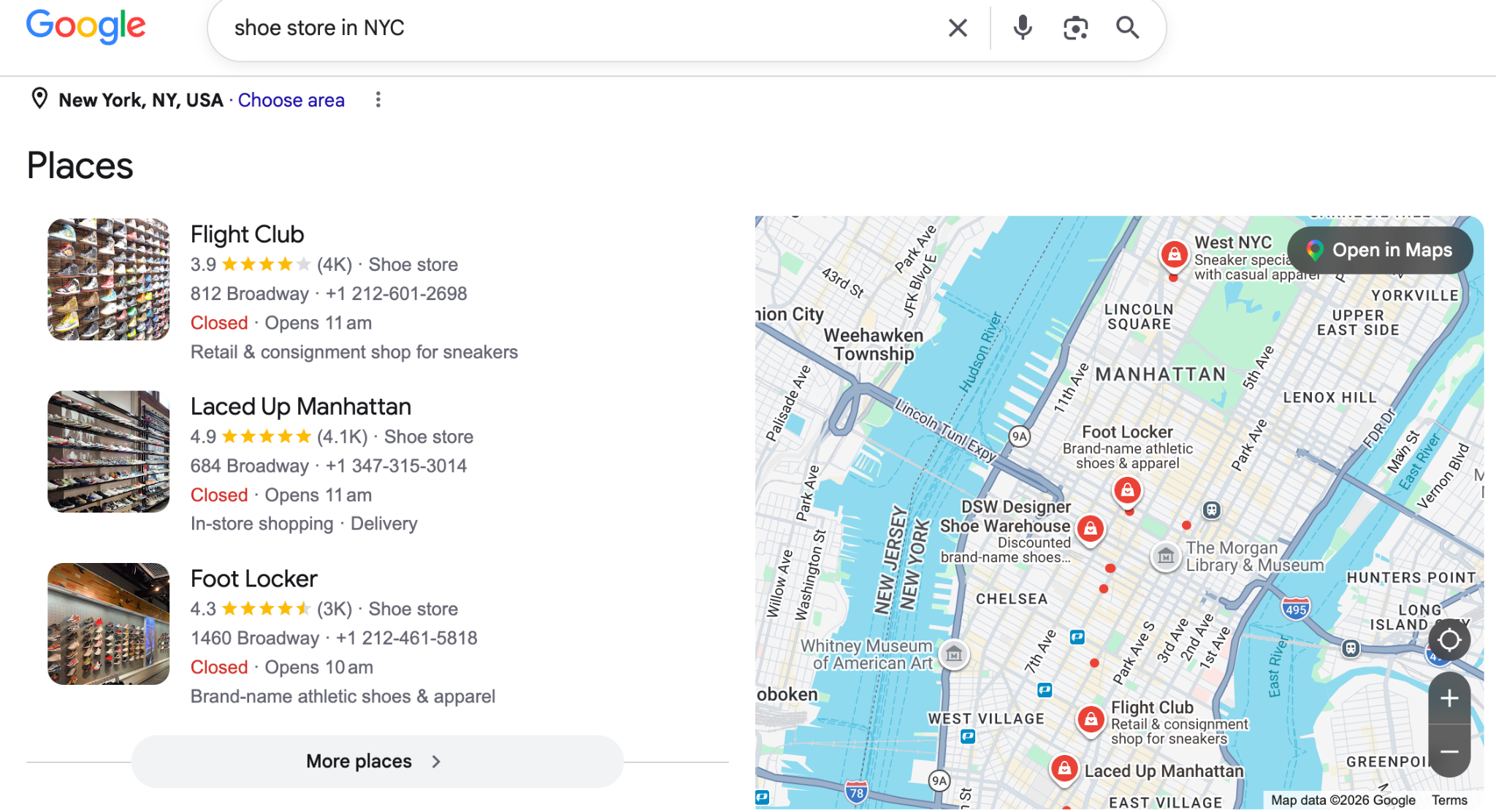
A complete Google Business Profile (GBP) is a digital storefront that turns local search queries into foot traffic for your retail store. When shoppers search for products nearby, your listing determines whether they enter your store or visit a competitor down the street. Maintaining an active, detailed profile gives your retail store a distinct competitive advantage in local search results.
Let’s look at how you can create a GBP that helps you gain new customers.
How to Claim Your Google Business Profile
Before optimizing your profile, make sure you claim and verify ownership of your retail store's Google Business Profile. This gives you control over the business information customers see across Google Search and Maps.
Find Your Business: Search for your store on Google Maps or Google Search. If an existing profile appears, select the option to claim or manage it.
Create a Profile: If your business does not have an existing listing, create one through Google Business Profile and enter your official business details.
Verify Your Business: Google may offer verification through video, phone, email, or other available methods depending on your business and location.
Complete Your Profile: Once verified, add your business hours, categories, products, photos, website, and other relevant information.
Check Ownership: Make sure the profile is managed through an account your business can retain access to, rather than an employee's personal account.
For multi-location retailers, claim and verify each eligible storefront separately and manage them through a centralized Business Profile account.
Core Foundation: NAP Accuracy and Verification
Local search ranking depends heavily on how accurately Google matches your digital information with your physical storefront. Name, Address, and Phone number (NAP) details must remain strictly consistent across every digital touchpoint.
Business Name: Use your exact business name as displayed on your physical storefront sign. Avoid adding search keywords, promotional slogans, or city names to your profile title. Google penalizes profiles that stuff keywords into title fields, which can lead to listing suspension.
Correct Example: "Cascade Outdoor Gear"
Incorrect Example: "Cascade Outdoor Gear - Best Hiking Boots & Camping Store Seattle"
Physical Address and Map Pin Placement: Provide a complete street address, including suite or unit numbers. During setup, drag the map pin precisely to your store's entrance. This accuracy ensures directions guide shoppers to your front door rather than a back delivery lane or adjacent building.
Phone Number: Display a direct local phone number with your area code rather than a centralized toll-free line. Local area codes build immediate geographic trust with shoppers and reinforce local relevance within search algorithms.
Operating Hours: Maintain exact regular operating hours. If your store closes at 8:00 PM, update your profile immediately if seasonal changes adjust that time to 7:00 PM. Update holiday hours weeks in advance for major events like Black Friday, Thanksgiving, or New Year's Day. Outdated hours lead to dissatisfied customers who arrive at closed doors.
Strategic Category Selection
Your primary business category has the highest weight among local ranking factors. It tells Google what your store sells and determines which customer queries trigger your profile in search results.
Primary Category: Select the most specific category available rather than a generic alternative. Selecting a specific category targets customer intent far more effectively than broad labels. Example: A shop specializing in running shoes should select "Running Shoe Store" as its primary category instead of "Shoe Store" or "Store."
Secondary Categories: Add up to nine secondary categories to capture related search queries. Use secondary categories to highlight secondary inventory lines or special services.
Retail Niche
Recommended Primary Category
Recommended Secondary Categories
Specialty Apparel
Boutique
Women's Clothing Store, Accessories Store, Fashion Accessories Store
Home Goods
Furniture Store
Lighting Store, Rug Store, Interior Designer, Home Goods Store
Bookstores
Used Book Store
Book Store, Comic Book Shop, Gift Shop
Pet Retail
Pet Supply Store
Pet Store, Tropical Fish Store, Pet Food Supplier
Electronics
Mobile Phone Repair Shop
Cell Phone Store, Electronics Store, Used Electronics Store
Sporting Goods
Bicycle Shop
Bicycle Repair Shop, Sporting Goods Store, Outdoor Sports Store
Showcasing Live Inventory and Products
Many retail profiles allow customers to browse physical shelf items directly from Google Maps and Search. This transforms your profile into a digital catalog and bridges the gap between online browsing and physical purchasing.
Automated Local Inventory Syncing
Connect your Point of Sale (POS) system directly to Google using Google Merchant Center or inventory integration tools. This connection automatically uploads your in-stock inventory to your profile.
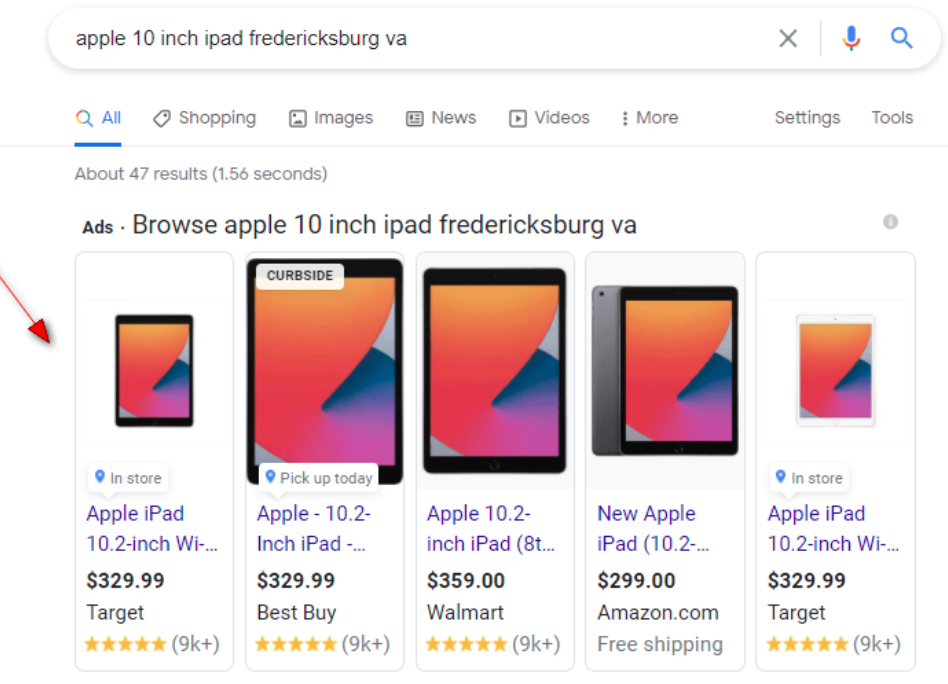
In-Stock Indicators: When local shoppers search for specific items, your listing displays a green "In stock" badge alongside the product's distance from their location.
Real-Time Accuracy: Automated inventory feeds sync daily, preventing customers from driving to your store for items that sold out hours earlier.
Supported Integrations: Platforms like Shopify, Square, Clover, and Lightspeed offer direct connectors to feed live store inventory into Google's local inventory engine.
Manual Product Catalog Setup
If your store does not use a supported POS integration, use the manual Product Editor in your profile dashboard to showcase core product lines.
Product Titles: Include clear item names with brand, model, or size specifications. Example: "Patagonia Men's Torrentshell 3L Jacket - Black (Medium)"
Pricing & Categories: Organize products into clear collections (e.g., "Outerwear," "Footwear," "Trail Accessories") and list exact retail prices.
Actionable Landing Pages: Add direct links to your website product page where customers can reserve items for in-store pickup or place online orders.
Retail-Specific Attributes
Attributes provide granular operational details that shoppers filter for when choosing where to buy. Enabling accurate attributes increases your visibility when users apply specific filters in Google Maps.
Visual content directly influences customer decision-making. High-resolution imagery signals that your business is active, clean, and stocked with merchandise.
Exterior Photographs: Upload 3 to 5 clear photos taken from different angles during daylight. Include street-facing photos showing your sign, parking area, and front entrance to help first-time visitors identify your building.
Interior Photographs: Show well-lit retail aisles, organized display racks, and your checkout counter. Clear interior photos reduce customer hesitation by setting clear visual expectations.
Product Showcase Photos: Highlight featured seasonal displays, bestselling items, and local goods. Avoid heavy editing or stock photography; real store photos earn higher consumer trust.
Google Posts: Use weekly posts to publish news, store events, or limited-time promotions. Treat Google Posts like short social updates with direct call-to-action buttons. Example Post: "New Spring Outdoor Collection Arrived! Stop by this weekend to test out our lightweight hiking tents. Tap 'Directions' below to visit us today."
Pre-Populating Business Q&A: Anticipate common customer inquiries by populating the Questions & Answers section yourself. Ask and answer practical store questions directly from your profile account.
Review Management and Reputation Building
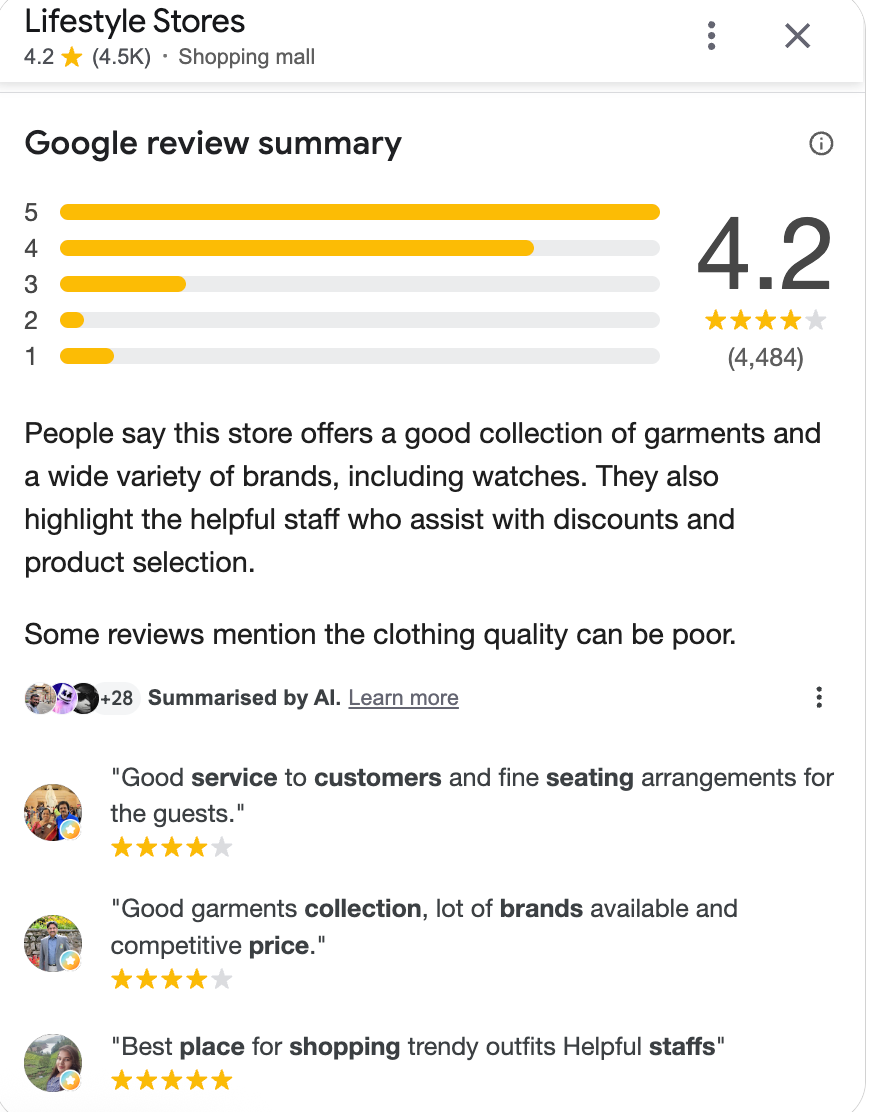
Customer reviews shape store trust and influence search placement. Higher star ratings and frequent reviews build immediate credibility with local buyers.
Proactive Review Collection: Ask satisfied customers for reviews at point-of-sale touchpoints. Print custom QR codes on receipt paper or place counter signs near cash registers with direct links to your review submission window.
Timely Responses: Reply to every review within 24 to 48 hours. Thank positive reviewers by mentioning specific items they bought. Example Response: "Thank you for the review, Sarah! We are thrilled you found the perfect running shoes with Marcus's help. Enjoy your weekend trail runs!"
Handling Negative Feedback: Respond professionally to critical reviews without becoming defensive. Acknowledge the issue, express empathy, and offer a clear offline contact path to resolve the problem. Example Response: "We apologize that your experience with our return process did not meet expectations, David. We take feedback seriously. Please reach out to our team at manager@cascadeoutdoor.com so we can address this directly."
Reporting Fake Reviews: If a review violates Google policy by containing offensive language, commercial spam, or content from non-customers, flag the review via the Google Business Profile Review Management tool for official moderation.
Add WhatsApp to Your Google Business Profile
Give shoppers a direct way to contact your store by adding WhatsApp to your Google Business Profile, where available.
Use a monitored number: Add the WhatsApp number your store team actively manages.
Respond quickly: Use WhatsApp to answer product, availability, store hours, and pickup questions.
Keep responses consistent: Prepare quick replies for common customer questions.
Connect discovery to visits: Help shoppers confirm details before they make the trip to your store.
Example: A shopper searching for running shoes can message your store on WhatsApp to check whether their preferred size is available before visiting.
Strategy for Multi-Location Retail Stores
Managing multi-location retail brands requires balancing centralized management with store-level authenticity. Inconsistent profile management across multiple branches creates customer confusion and dilutes local search performance.
Standardized Brand Architecture
Google guidelines mandate consistent brand representation across all retail branches while keeping each profile grounded in its specific physical address.
Name Consistency Across Chains: Maintain identical business titles across every store location unless your physical storefront signage explicitly differs by city.
Correct Standard: "Summit Hardware" for location A, location B, and location C.
Department Listings: If your store contains distinct sub-departments with separate exterior entrances, unique phone lines, and dedicated operating hours, Google allows separate secondary profiles.
Example: A large grocery chain hosting an internal pharmacy with its own exterior door can maintain "Fresh Market Pharmacy" as a distinct profile linked to the primary store address.
Technical Management and Bulk Operations
Operating tens or hundreds of retail storefronts requires specialized profile administration tools to maintain accuracy at scale.
Location Groups and Bulk Verification: Create a dedicated Business Profile Location Group under an official corporate domain. If managing 10 or more locations of the same business, submit a bulk verification request to verify all storefronts simultaneously.
Dedicated Store Landing Pages: Point each location profile website button to its specific local landing page (e.g., [example.com/stores/seattle](https://example.com/stores/seattle)) instead of routing every location to your national homepage. Local landing pages should include matching NAP data, store-specific hours, local employee highlights, and embedded Google Maps.
Location-Specific Inventory Feeds: Feed store-specific inventory databases to each individual location profile. A customer viewing your Boston store profile must see local stock levels, not inventory housed at your Chicago distribution center.
Delegated Management Roles: Establish clear administrative permissions. Use corporate admin accounts for global settings, NAP lock-down, and brand templates. Assign Store Manager permissions to on-site employees for uploading localized photos, adding Google Posts, and answering daily customer queries.
Wrapping Up
A well-optimized Google Business Profile can help retail stores become easier to find, easier to trust, and easier to visit. Start with accurate business information, then strengthen your profile with the right categories, products, attributes, visuals, reviews, and customer contact options.
For multi-location retailers, maintain consistent brand information while giving each store accurate local details. Regularly review your profiles, update changes quickly, and use customer interactions to identify areas where your listing can improve.
Frequently Asked Questions
How long does it take for a new Google Business Profile to rank in the local map pack?
New profiles typically take 4 to 8 weeks to establish baseline visibility in local search results. Ranking speed depends on local competition, profile completeness, NAP consistency across secondary business directories, and how quickly you acquire authentic customer reviews.
How often should I upload fresh photos to my retail profile?
Upload 2 to 5 fresh photos every week. Regular photo uploads signal active business operations to search algorithms and provide shoppers with real-time views of new inventory, store decor updates, and seasonal sales displays.
Why did my inventory stop displaying on my profile after syncing POS software?
Inventory feed disruptions usually stem from account disconnection between your Point of Sale system and Google Merchant Center, missing product GTINs/SKUs, or pricing discrepancies between your website and physical store. Check your Google Merchant Center Diagnostics tab to resolve feed errors.
Should I respond to positive Google reviews that do not contain text comments?
Yes. Responding to star-only reviews demonstrates active profile maintenance. A brief reply like "Thank you for taking the time to leave us a 5-star rating! We hope to see you in the store again soon" reinforces positive customer relationships.
How do I manage special holiday hours across multiple retail locations quickly?
Use bulk upload CSV templates within your Google Business Profile Manager account. Enter temporary holiday hours for every store location in a single spreadsheet, then upload the file to update holiday schedules simultaneously across your entire retail chain.
What happens if my retail store relocates to a new address?
Update your address directly inside your profile settings rather than creating a brand-new listing. Updating your existing address preserves your accumulated reviews, photos, and historical ranking signals. Google may require a quick re-verification via video or postcard at the new location.




.jpg)

%201.png)