Meet

Neura HQ,
Your connected AI Agent Workforce Know more



TLDR
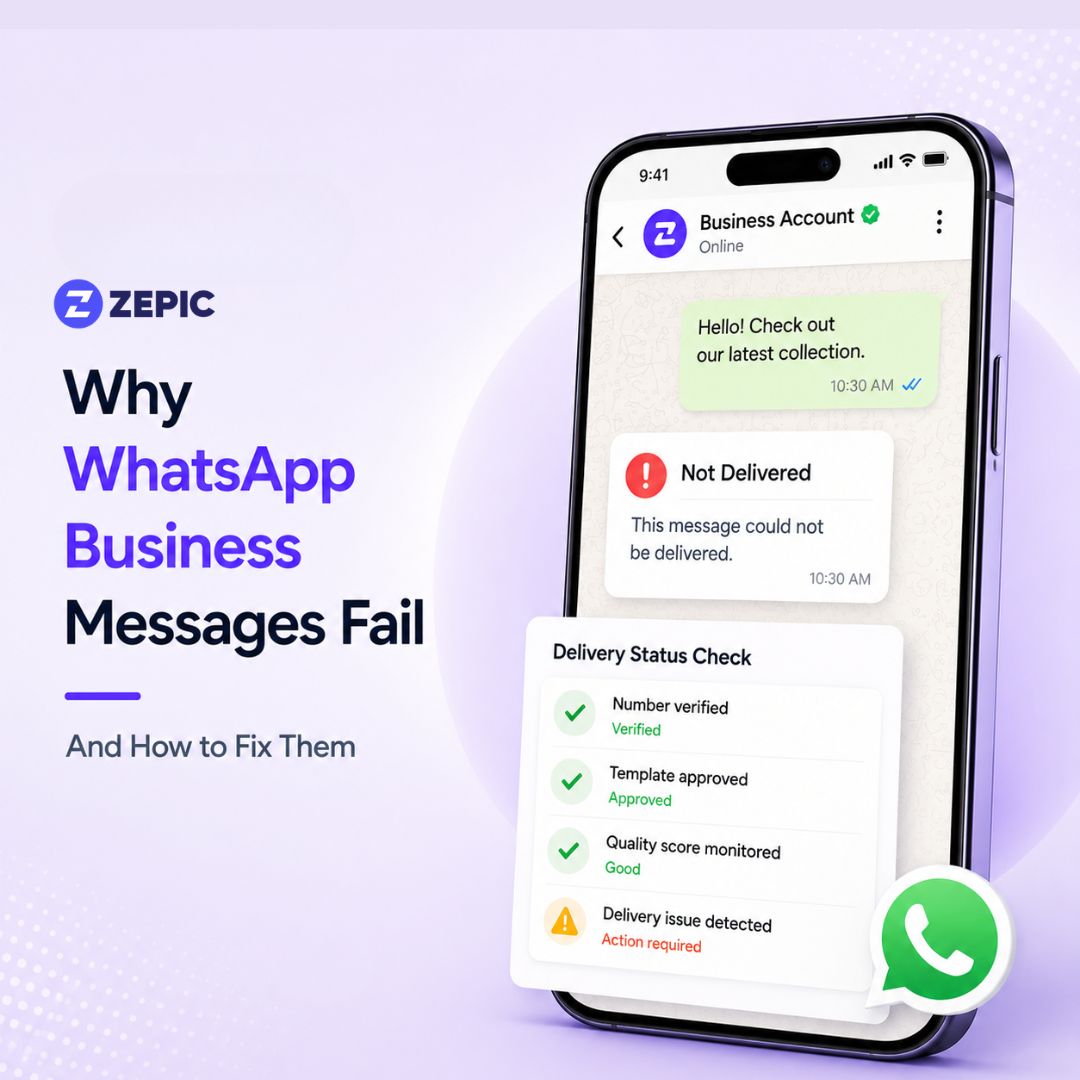
Meta introduced several structural changes to WhatsApp Business on January 15, 2026, including the updated AI Policy and a complete transition to Per-Message Pricing. These shifts mean that the "sent" status in your dashboard no longer guarantees that a message reached the user’s screen.
Meta now prioritizes user experience over business volume. If your delivery rates are dropping, it is likely due to the platform's new Quality First filters. These filters are designed to intercept low-value communication before it reaches the end user.
This guide explores the 9 primary reasons why your WhatsApp Business messages are failing and provides the technical solutions required to stay compliant with Meta’s regulations in this new era.
One of the most significant changes in 2026 is the implementation of ML-driven Template Pacing. When you trigger a large campaign, Meta does not release all messages at once. Instead, it holds the bulk of your queue for approximately 30 to 60 minutes. During this pacing window, Meta delivers a small sample batch of messages to gauge recipient behavior.
If the first 50 to 100 people in your list report the message as Spam or Block, Meta identifies the template as a threat. The system then drops the remaining thousands of messages in your queue. You will see a Failed status in your logs, often accompanied by error 131048 (Spam Rate Hit). This happens because the early engagement signals were overwhelmingly negative.
On January 15, 2026, Meta enforced a strict ban on general-purpose AI chatbots. This policy targets ChatGPT wrappers and assistants that provide general information rather than specific business services. If your bot is designed to answer general questions like "What is the capital of France?" or "Write me a poem," it is now in violation of Meta’s terms.
Messages from non-compliant bots are being silently intercepted by Meta’s "Llama-Filter." Your API will show that the message was sent, but the recipient never receives it. Meta uses this filter to prevent third-party AI companies from using WhatsApp as a cheap distribution channel for general AI services.
User privacy reached a new level in 2026 with the introduction of the Advanced Privacy suite. Users now have a toggle in their settings labeled "Block high volumes of unknown messages." If a user enables this, their phone will automatically reject any message from a business account that is not saved in their contacts.
If you send a marketing blast to a user who has this toggle active, the message will fail instantly. This rejection occurs at the device level, meaning it may not even trigger a standard "Undeliverable" error in some legacy API setups. It simply never arrives.
In mid-2025, Meta moved away from conversation-based pricing to a per-message model. This change became even more rigid in 2026. Meta’s AI now scans every template to ensure it is categorized correctly. If you try to send a "Marketing" message (promotions/offers) while using a "Utility" template (receipts/alerts), the system will flag it.
If your account does not have a sufficient pre-paid "Marketing" credit balance, and the AI re-classifies your "Utility" message as "Marketing," the delivery will fail. Meta no longer allows businesses to bypass higher marketing fees by disguising their content.
A new 2026 policy restricts how many messages you can send to a user who has never replied to your business. Meta now tracks the Response Ratio per user. If you send three consecutive templates to a user over 30 days and they do not reply or click a button, your ability to message them is suspended.
You will see a "One Tick" status indefinitely. This indicates that the message reached the WhatsApp servers but was not delivered to the user's device because you exceeded the "Non-Responder" limit.
Your "Phone Number Quality Rating" is the most critical metric for delivery in 2026. It is calculated based on blocks, reports, and the reasons users give when they click "Spam." Meta categorizes numbers into Green (High), Yellow (Medium), and Red (Low).
If your rating drops to "Low," your account status changes to "Flagged." During this period, your messaging limit is slashed. For example, a business authorized for 100,000 messages per day might be restricted to 1,000 messages until the quality improves.
This applies to micro-businesses using the free WhatsApp Business App rather than the API. Meta requires that the primary smartphone where the account is registered must be connected to the internet at least once every 14 days.
If the primary phone remains offline, all linked devices (web, desktop, or tablet) will lose delivery sync. You may type a message and hit send, but it will never leave the outbox of the linked device.
Global regulations have become more complex. In India, the Telecom Regulatory Authority (TRAI) has integrated DND (Do Not Disturb) filters with WhatsApp Business API. Similar laws exist in the Middle East and parts of Europe regarding data residency and encryption.
If a user is on a national DND registry, some regional gateways may block your business message even if the user opted in on your website. This is common for "Authentication" messages (OTPs) and "Marketing" blasts.
Sometimes the failure is not a 2026 policy change but a basic technical error. Before diving into complex fixes, run through this quick-fire checklist:
| Instance | Likely Cause | Quickest Fix |
|---|---|---|
| Bulk campaign stopped at 5% | Template pacing | Improve CTA or segment the list |
| Bot messages not sending | AI policy violation | Migrate to task-specific AI |
| Constant “One Tick” | Advanced privacy blocking | Ask the user to save the contact |
| Instant “Failed” on utility | Category mismatch | Add marketing credits to WABA |
| Messages to regular users fail | Monthly non-responder limit | Use buttons to force a reply |
| Limit dropped from 10k to 1k | Quality score flagged | Pause campaigns and clean the list |
As we discussed, WhatsApp delivery rates in 2026 depend on various factors.
Meta has introduced stricter controls around quality, pacing, privacy, and billing. Many businesses now see messages marked as “Sent” in dashboards even when users never receive them.
That is why the WhatsApp marketing software you use plays a major role in campaign success.
A strong WhatsApp marketing platform helps you stay aligned with Meta’s latest rules and protects your delivery rates over time.
Look for software that supports:
With the right tool, brands can improve reach, reduce message drops, and maintain healthier account performance.
One common reason campaigns fail in 2026 is poor retry handling. Messages often fail due to temporary conditions such as:
Basic tools either retry instantly or skip retries completely. Both approaches can lead to wasted credits and lower delivery.
ZEPIC solves this with Smart Retries, designed specifically for Meta’s current delivery environment.
ZEPIC automatically:
This makes retries safer, more efficient, and more aligned with WhatsApp’s Quality First system.
WhatsApp Delivery in 2026 is no longer a given; it is a reward for high-quality engagement. The platform has evolved into an ecosystem where relevance is the only way to bypass the Llama-Filter and the Advanced Privacy toggles. When you focus on segmented, interactive, and task-specific communication, you can maintain 99% delivery rates while your competitors struggle with "One Tick" errors.
Try ZEPIC today and improve your WhatsApp Delivery Rates.
You’ve hit the ML Template Pacing window. Meta now samples your campaign. If the first 5% of recipients report your message as spam or ignore it, the system triggers Error 131048 (Spam Rate Hit) and stops the remaining queue.
The Fix: Do not send to your entire list at once. Start with your high-engagement segment, such as users who opened or clicked a message in the last 7 days. This creates a positive signal during the pacing window and tells Meta that your message is wanted.
This usually happens because of the new “Block high volumes of unknown messages” toggle in the user’s WhatsApp Privacy settings. If a user has enabled this and has not saved your number, Meta rejects the message at the device level.
The Fix: Use Click-to-WhatsApp ads so the user initiates the conversation first. In your first reply, politely ask them to “Add to Contacts” to receive future updates. This effectively whitelists your number against the privacy filter.
Meta’s AI now runs real-time content auditing. If a Utility message, such as a shipping update, includes even a small promotional phrase like “Check out our new summer collection,” the AI automatically reclassifies it as a Marketing message. If your account does not have sufficient Marketing credit, the message is rejected instantly.
The Fix: Keep Utility templates strictly functional. Separate promotional content into dedicated Marketing templates and ensure your billing account is pre-funded for the higher marketing message rate before sending.
When your number enters the Red zone, Meta typically reduces your daily sending limit dramatically, for example from 100,000 messages to 1,000 per day.
Recovery Steps:
1. Pause all automated message triggers for 24–48 hours.
2. Audit your opt-in sources to confirm users explicitly agreed to receive messages.
3. Clean your list by removing users who have not interacted in the last 30 days.

%201.png)


.png)