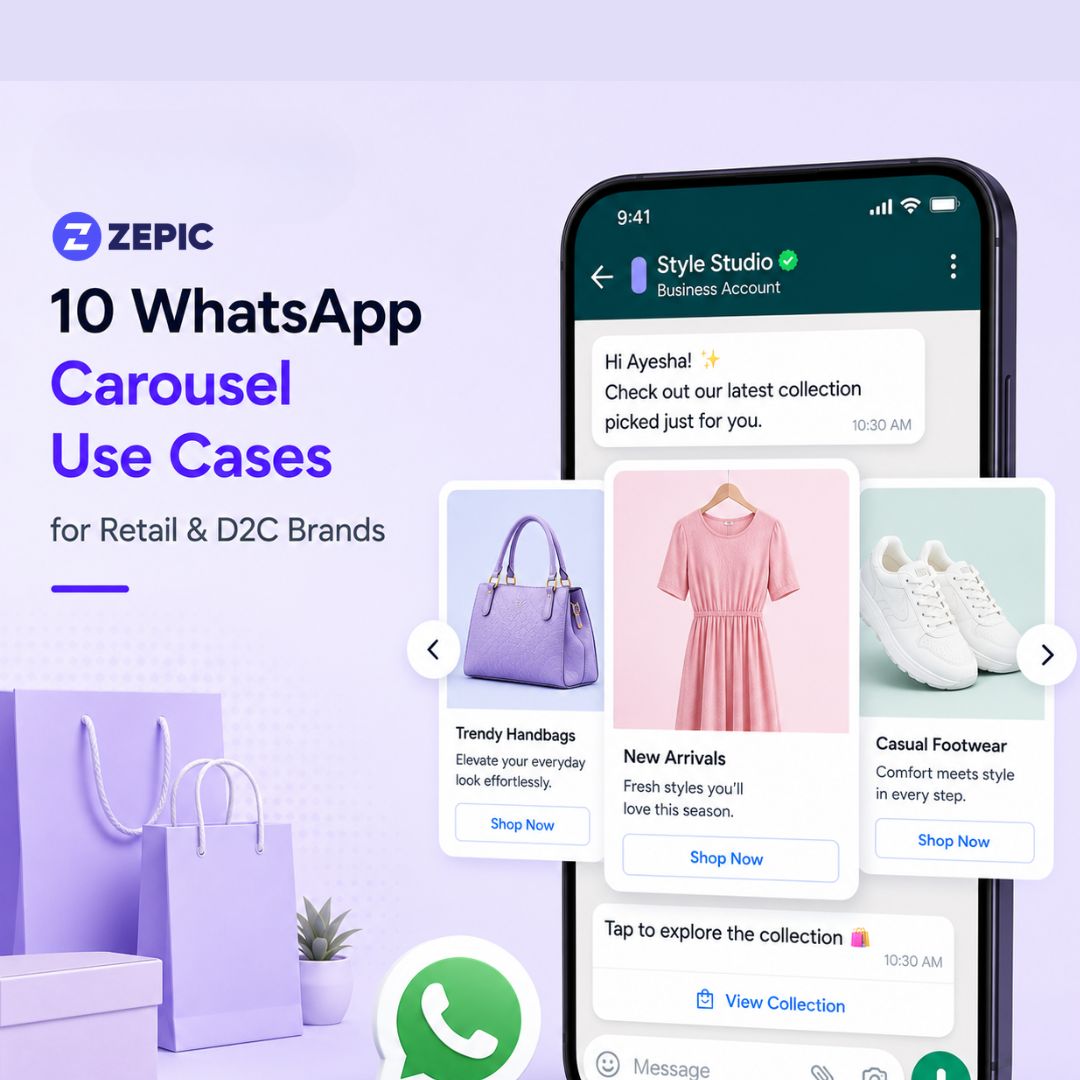
10 WhatsApp Carousel Use Cases for Retail & D2C Brands
Anandhi Moorthy
Senior Content Marketer
June 5, 2026
TLDR:
New Launches: Showcase full seasonal collections in one scrollable message.
Abandoned Carts: Display all forgotten items at once, not just one product.
Cross-Sell/Upsell: Recommend complementary products immediately after purchase when brand affinity is highest.
Size & Variants: Help shoppers compare options side-by-side without leaving chat.
Flash Sales: Bundle multiple discounts into one visual catalog to drive fast buying decisions.
Loyalty Rewards: Show customers which premium products they can unlock with points, increasing redemption.
Category Discovery: Act as doorways to different departments, improving click-through rates and reducing opt-outs.
Carousels beat single images and catalog messages when you need curated, immediate conversions.
The average attention span of a person is 47 seconds. In that tiny window, redirecting them to a website or a catalog might not be the best way to keep them interested in your brand.
What if you could showcase your entire product range without ever asking them to leave WhatsApp? That's the power of WhatsApp carousels.
With a WhatsApp carousel message, you can send up to 10 cards in one message. This makes it perfect to share product catalogs, abandoned cart reminders, and so much more.
Let’s look at some popular WhatsApp carousel use cases that can drive revenue for your business.
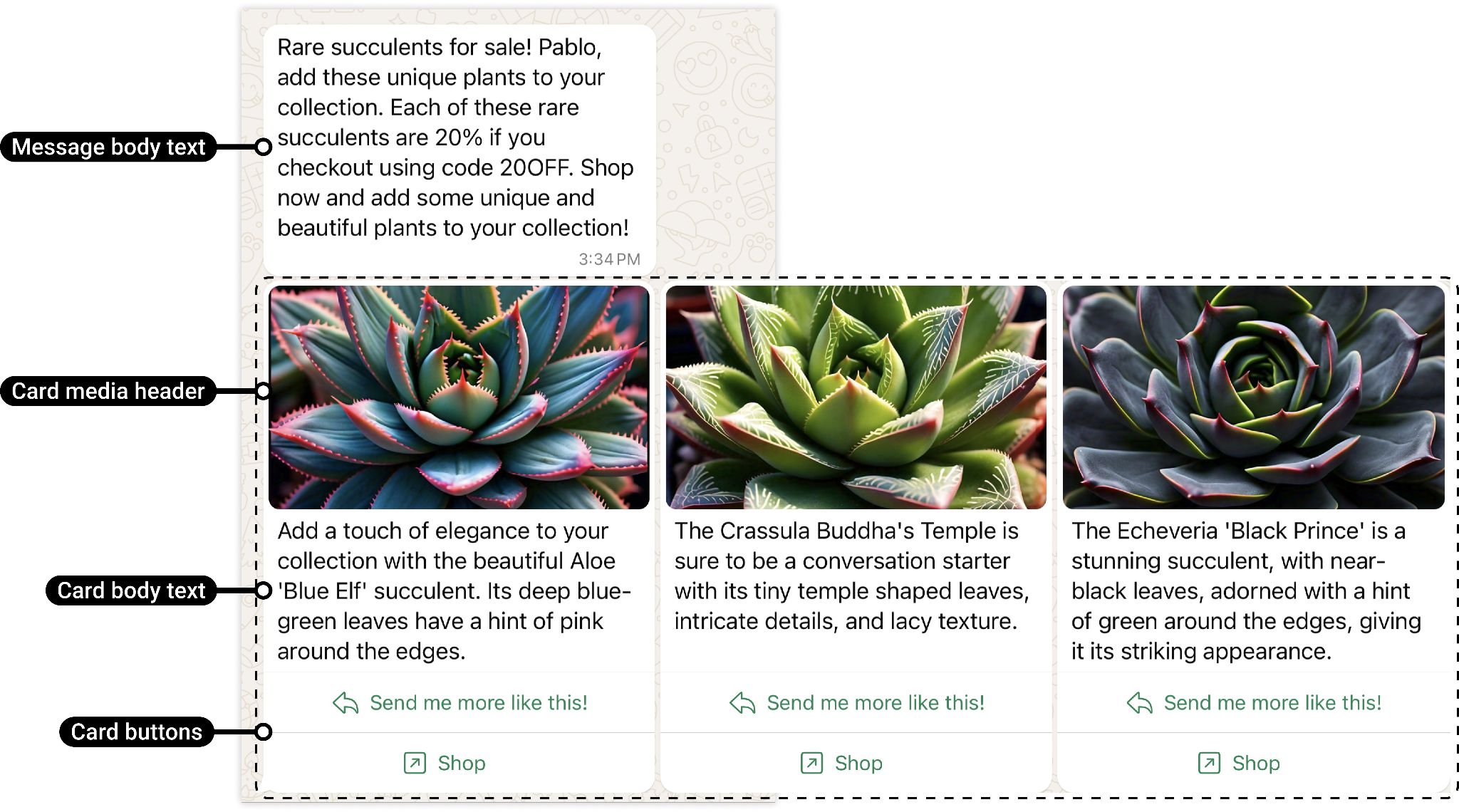
The Anatomy of a WhatsApp Carousel
Source: Facebook documentation
To build an optimized WhatsApp product carousel campaign for your ecommerce business, your message must follow Meta's layout rules:
Card Count: 2 to 10 cards per single carousel message.
Media per Card: One image or video. This format must remain consistent across every card in the message.
Body Text per Card: Up to 160 characters per card to keep copy brief and readable.
Buttons per Card: 1 or 2 buttons, including quick replies, website URLs, phone numbers, or Marketing Opt-Outs.
Button Consistency: The button type and position must match exactly across all cards.
Categories Supported: Marketing and Utility. The content of your copy decides the category, even if the carousel format itself showcases both.
Editability: Templates cannot be edited after submission or after approval.
10 WhatsApp Carousel Use Cases Driving Revenue
1. New Collection or Product Launch Showcase
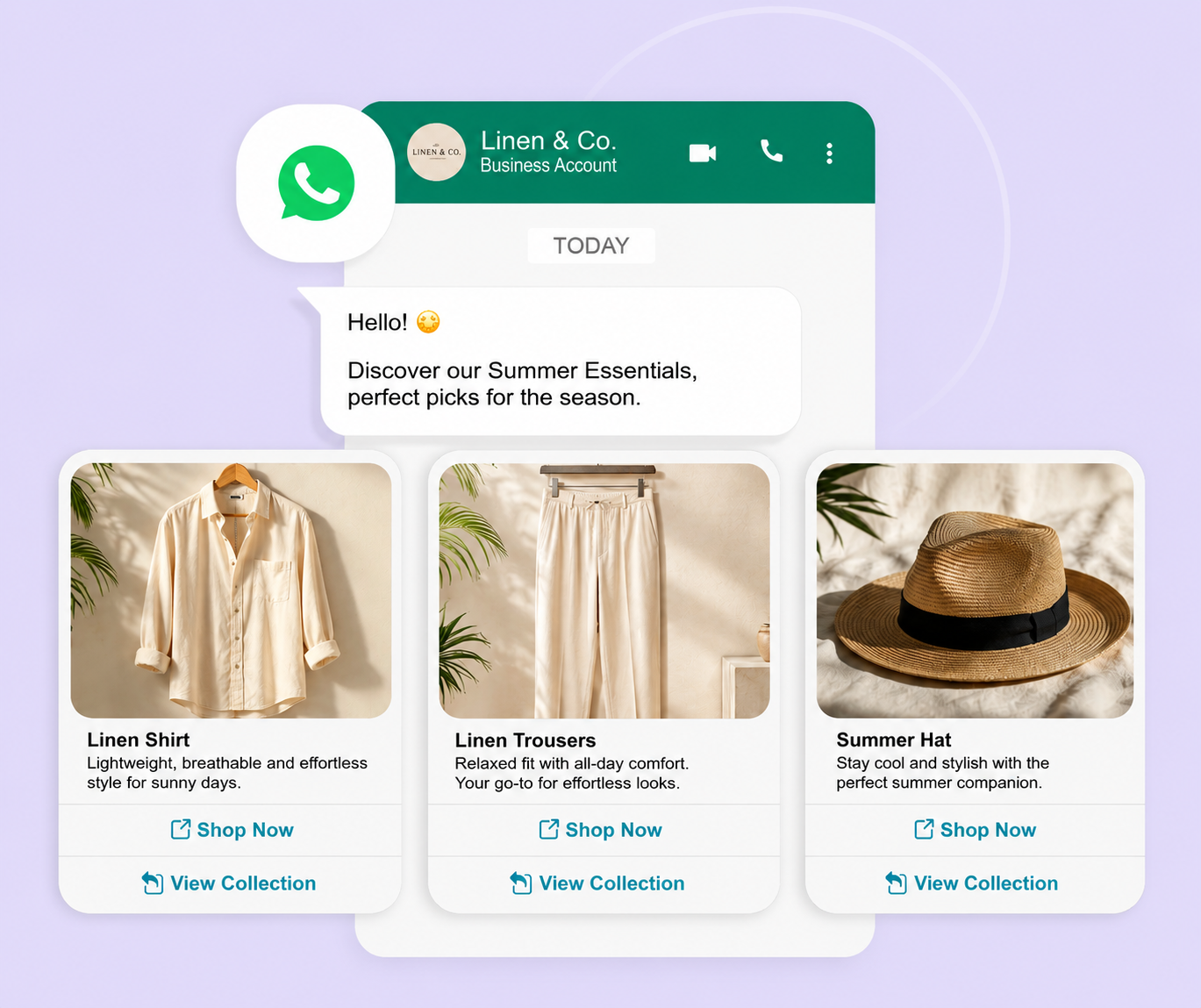
Launching a new seasonal product line through email often results in low click-through rates, burying your newest designs.
But with a WhatsApp carousel, you can showcase your top new arrivals in a scrollable gallery. This allows customers to preview the entire collection without exiting the chat interface.
If you frequently launch new seasonal collections, like summer essentials and holiday specials, carousel messages are a great way to inform your customers.
2. Abandoned Cart Recovery
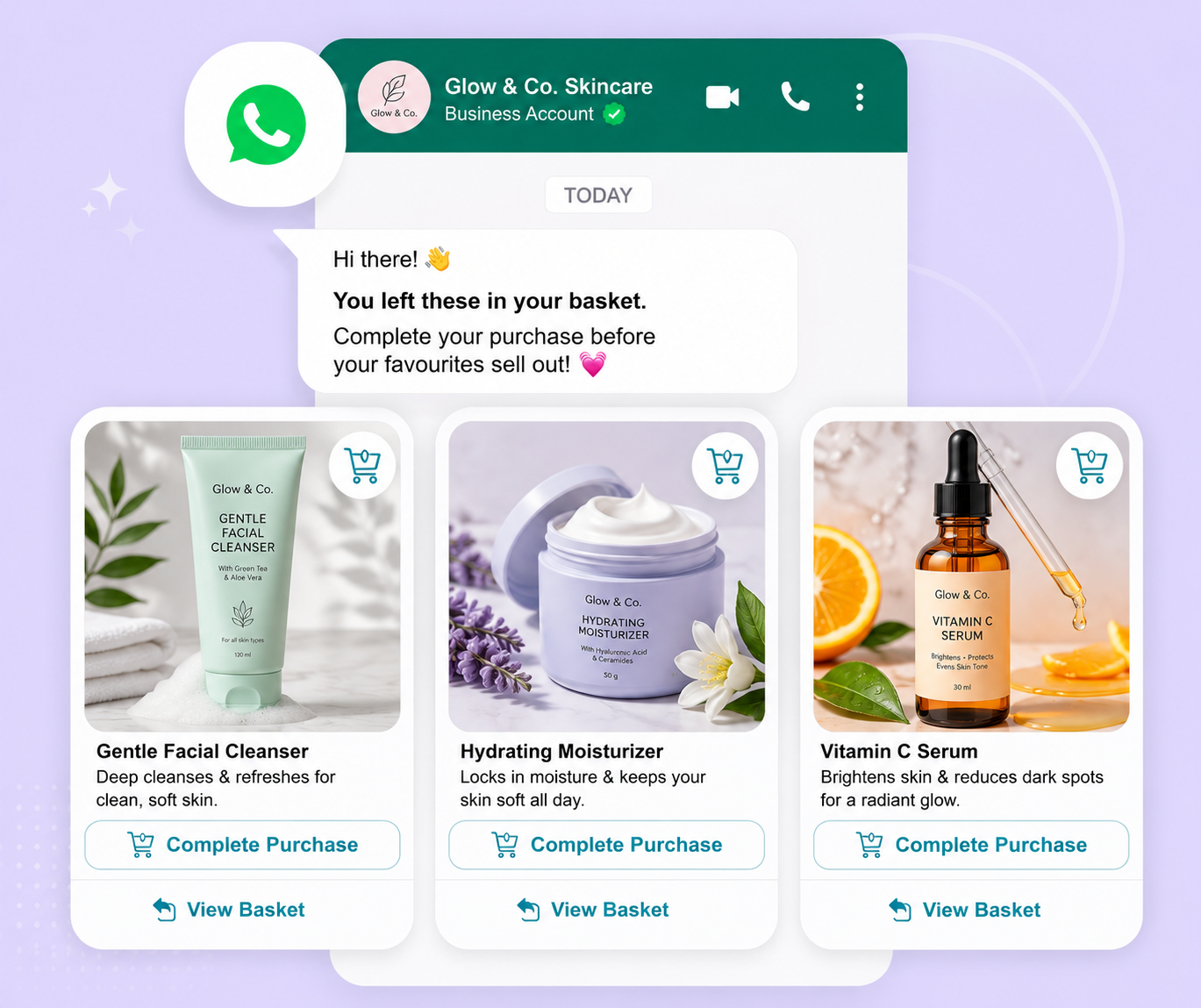
Standard single-image cart reminders display one forgotten item. So you miss the chance to remind shoppers of the other products left behind.
Using WhatsApp carousels for abandoned cart recovery works wonders because you can send up to 10 different products left at checkout.
3. Cross-Sell and Upsell After Purchase
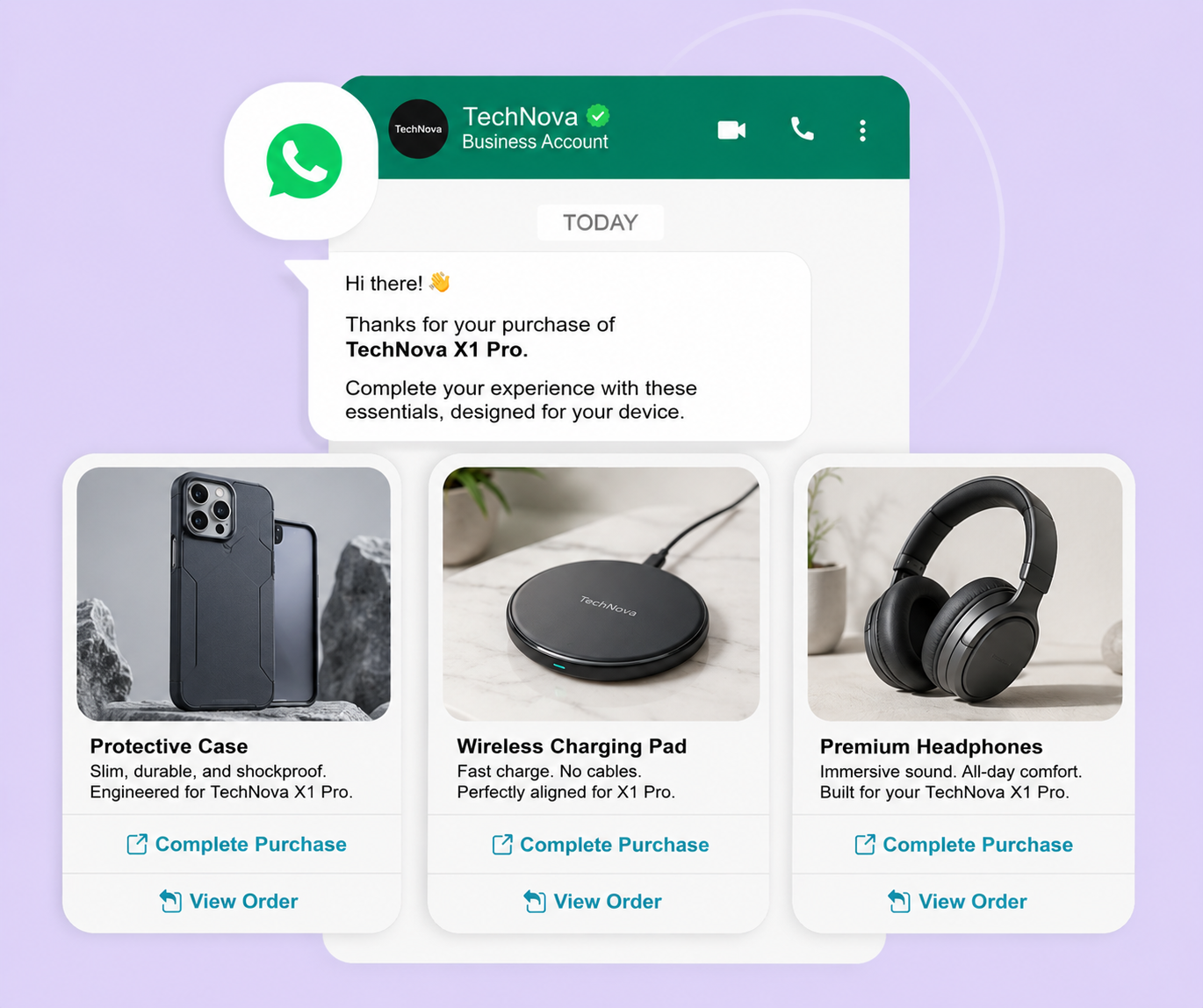
The moments after a customer completes their purchase are crucial because their affinity to your brand is high. They’ve either experienced your product or are excited for its arrival. Yet many retailers only send a plain-text receipt.
You can do so much more with a WhatsApp carousel message; you can cross-sell and upsell by recommending complementary items based on what the buyer just ordered.
4. Size and Variant Comparison
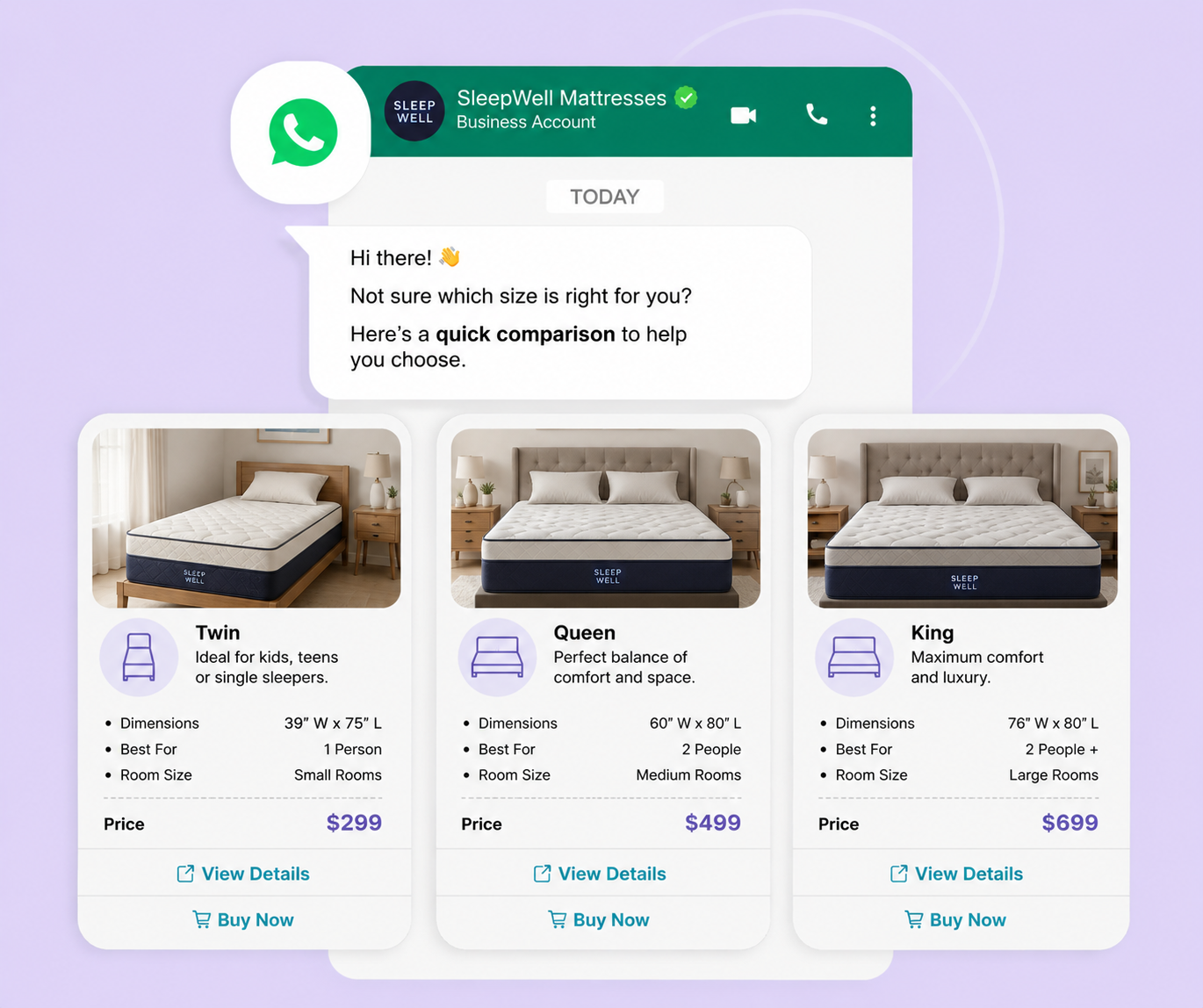
Shoppers often hesitate and abandon checkouts when they are confused by variations in sizes, shades, or formulas.
Create a WhatsApp carousel message with cards comparing different variations of the same product. This helps shoppers to evaluate options side by side inside the chat window.
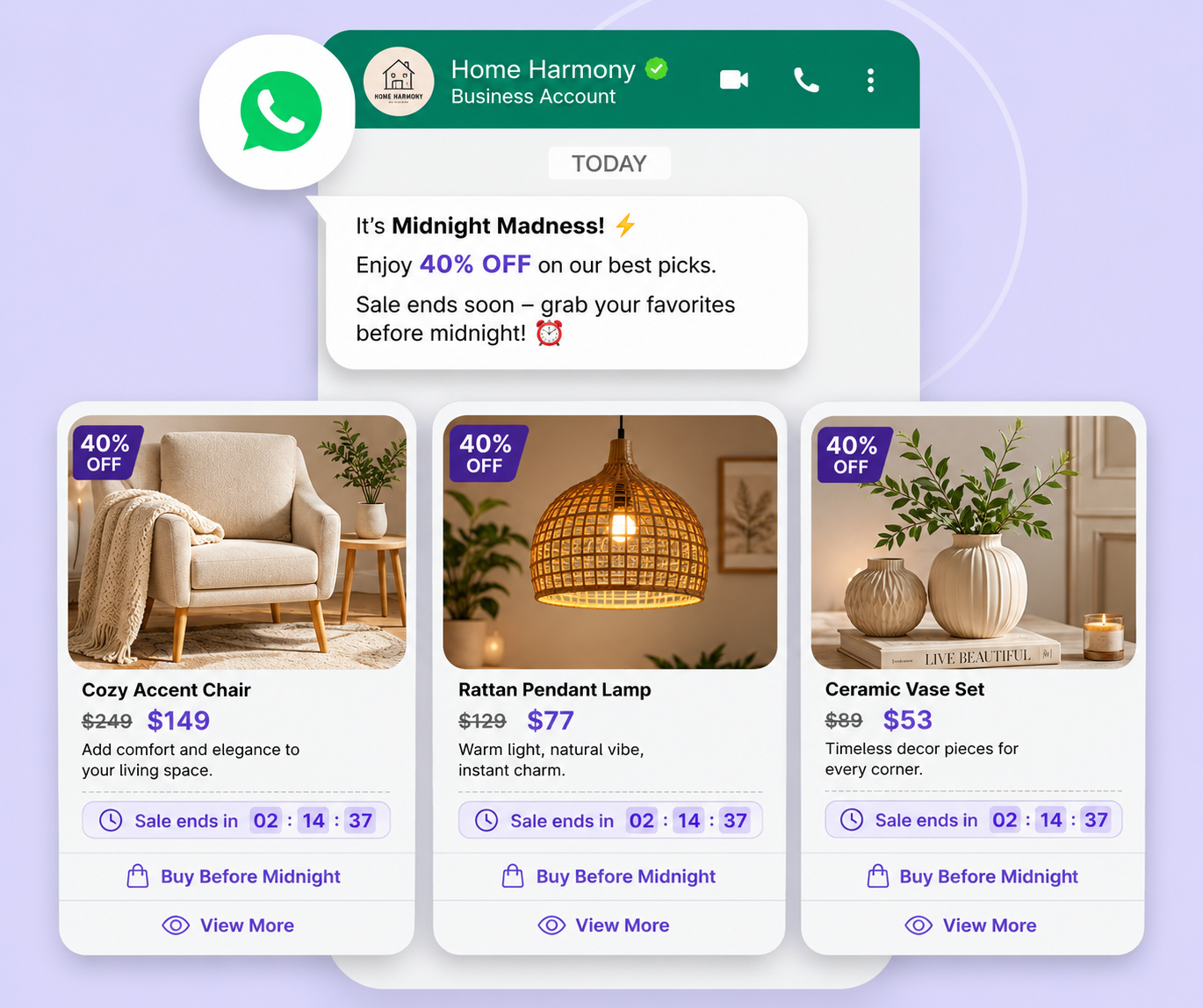
5. Limited-Time Sale or Flash Sale Promotion
Flash sales are all about speed; it’s right there in the name. Unfortunately, single-product banners fail to show the variety of the discounts available.
With a WhatsApp carousel, you can group your top flash sale discounts into separate cards and create a visual catalog that nudges fast buying decisions.
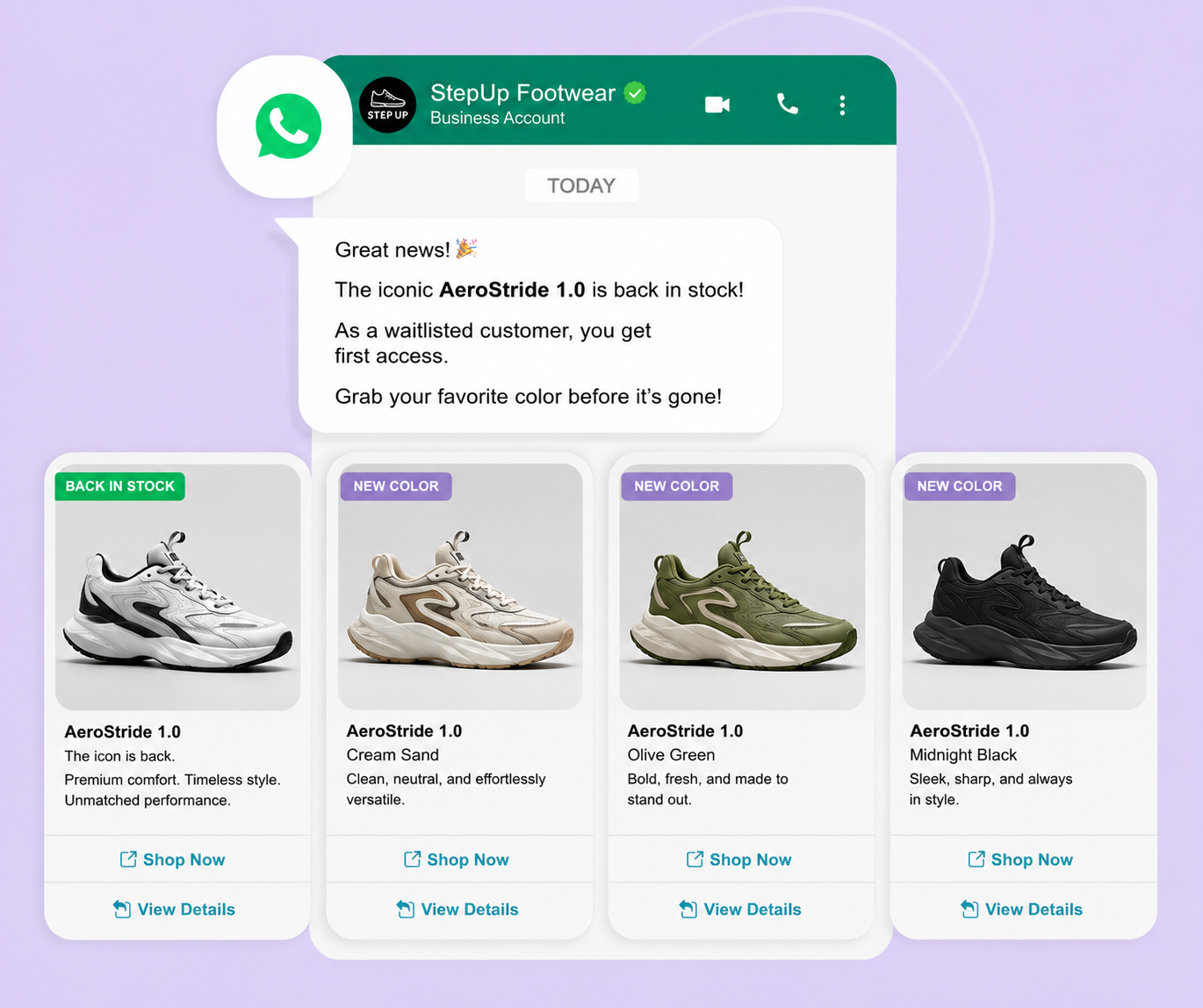
6. Restock and Back-in-Stock Alerts
When popular products sell out, you need more than a simple waitlist. WhatsApp carousels are a great way to show the customers the products they fell in love with via visual back-in-stock alerts.
When a major product line returns to inventory, send a carousel displaying the core product along with its alternative colors or related models.
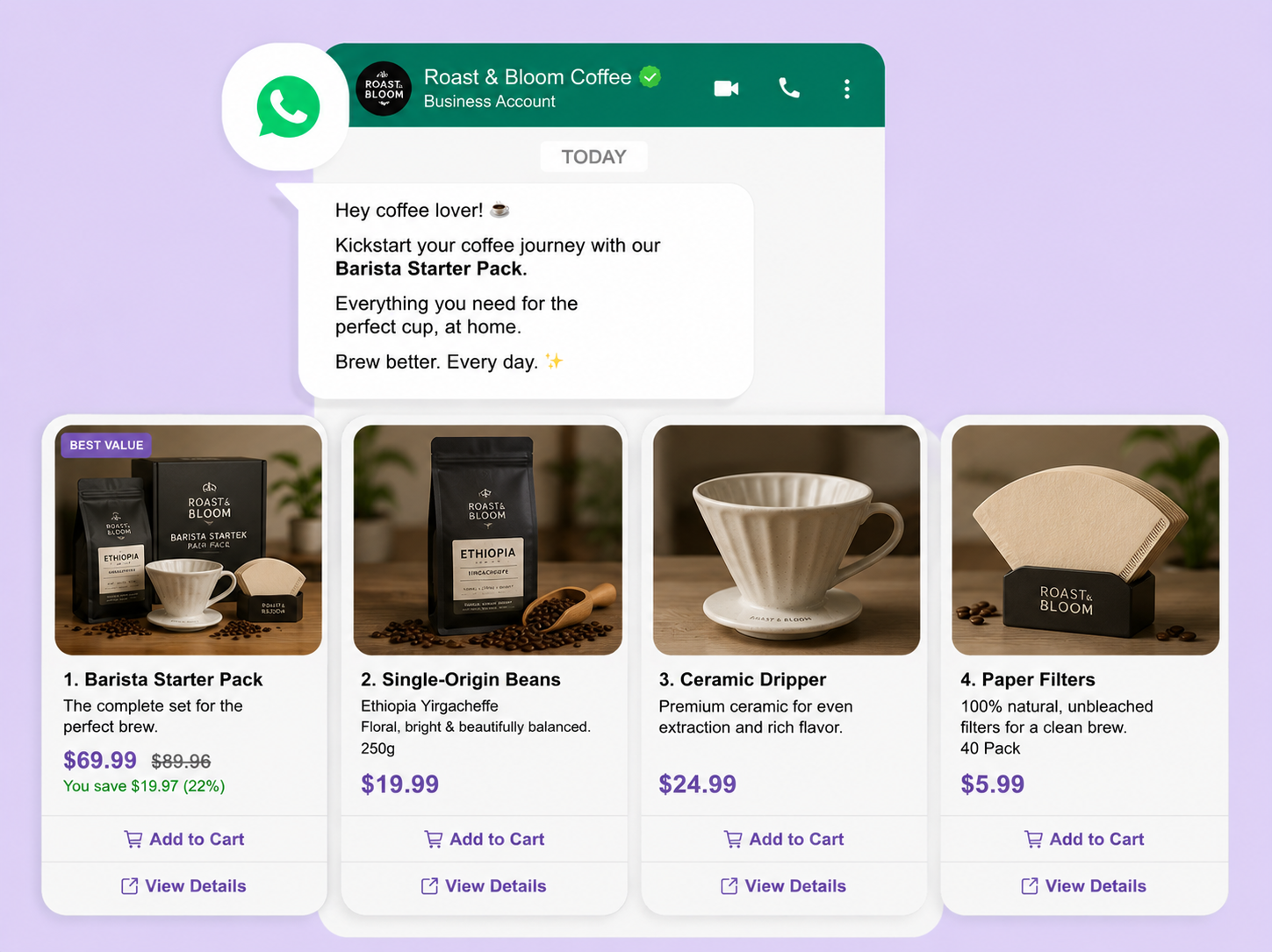
7. Bundle and Combo Offers
Selling item bundles can be tough when buyers do not see how the individual items fit together to create extra value.
When creating a carousel, dedicate the first card to the complete bundle offer, and use the remaining cards to detail the exact products included in the package.
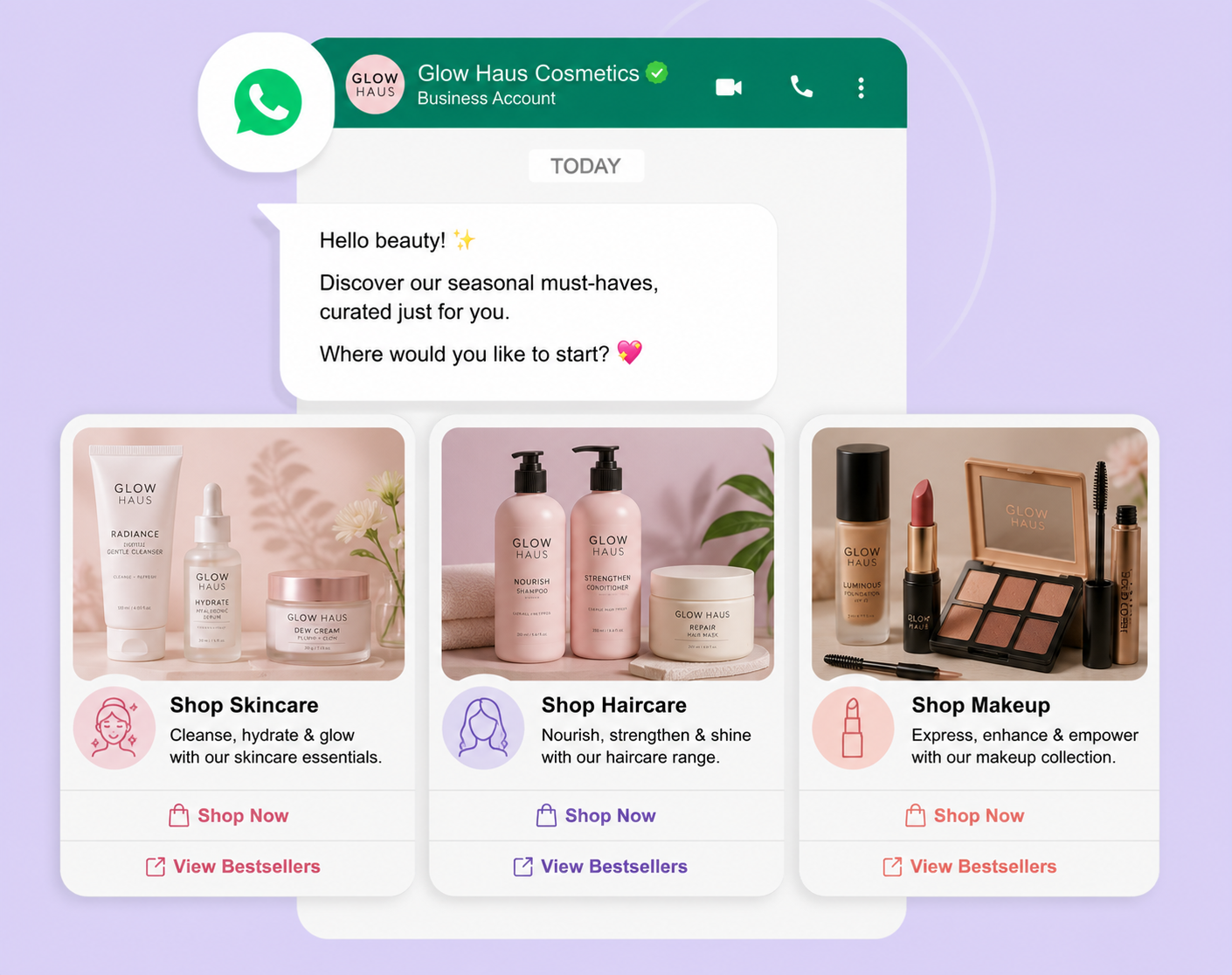
8. Category Bestsellers and "Shop by Category" Discovery
Broad marketing broadcasts often send irrelevant items to users, resulting in opt-outs and unread messages.
Send a top-level category discovery message through a carousel. Each card acts as a clear doorway to a completely different department or category.
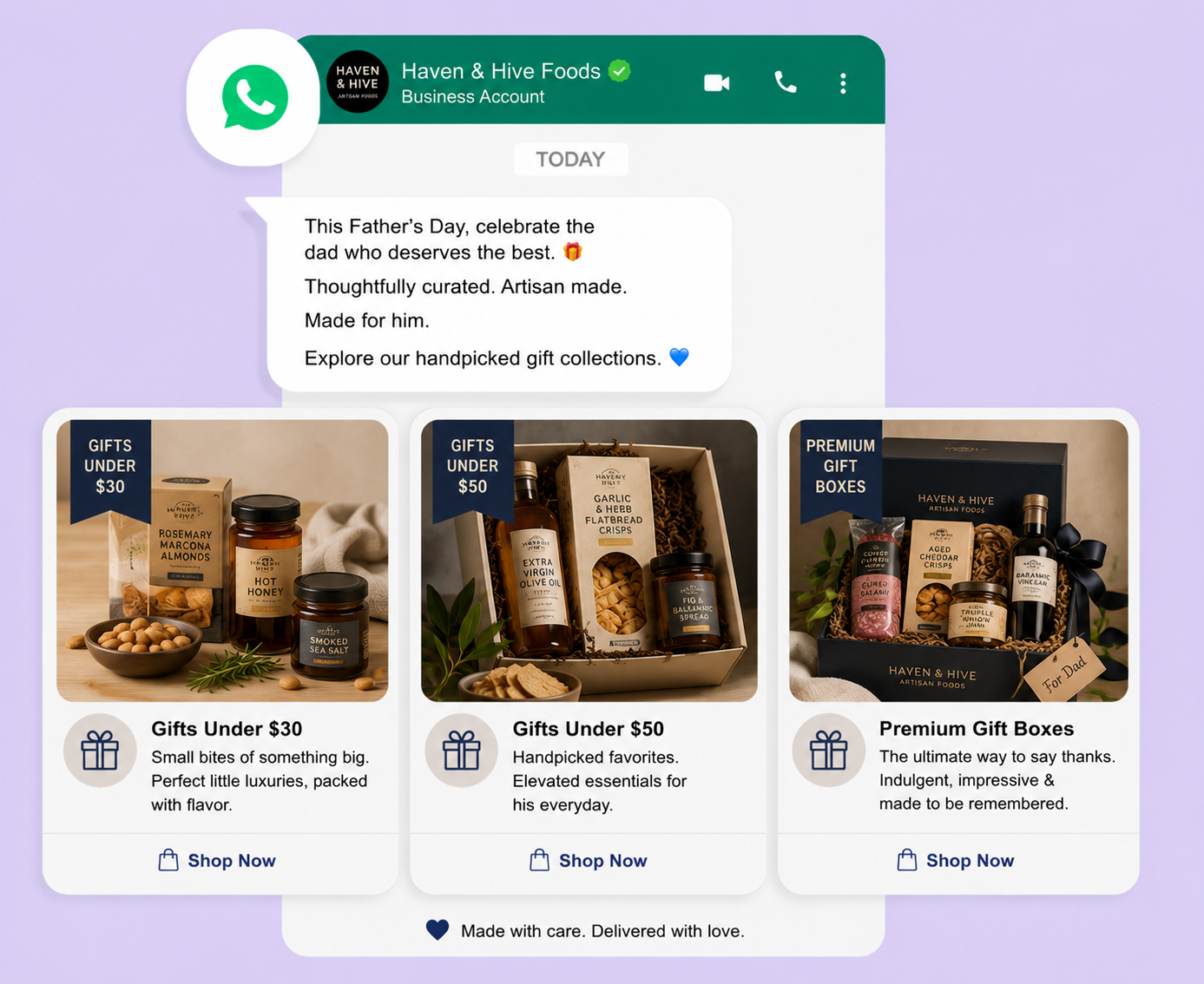
Holiday shoppers experience decision fatigue when searching through cluttered website navigation menus for gift ideas.
Organize gift recommendations by price tier or recipient type in your WhatsApp carousel to simplify the decision-making process for busy buyers.
10. Loyalty Tier and Personalized Recommendation Carousel
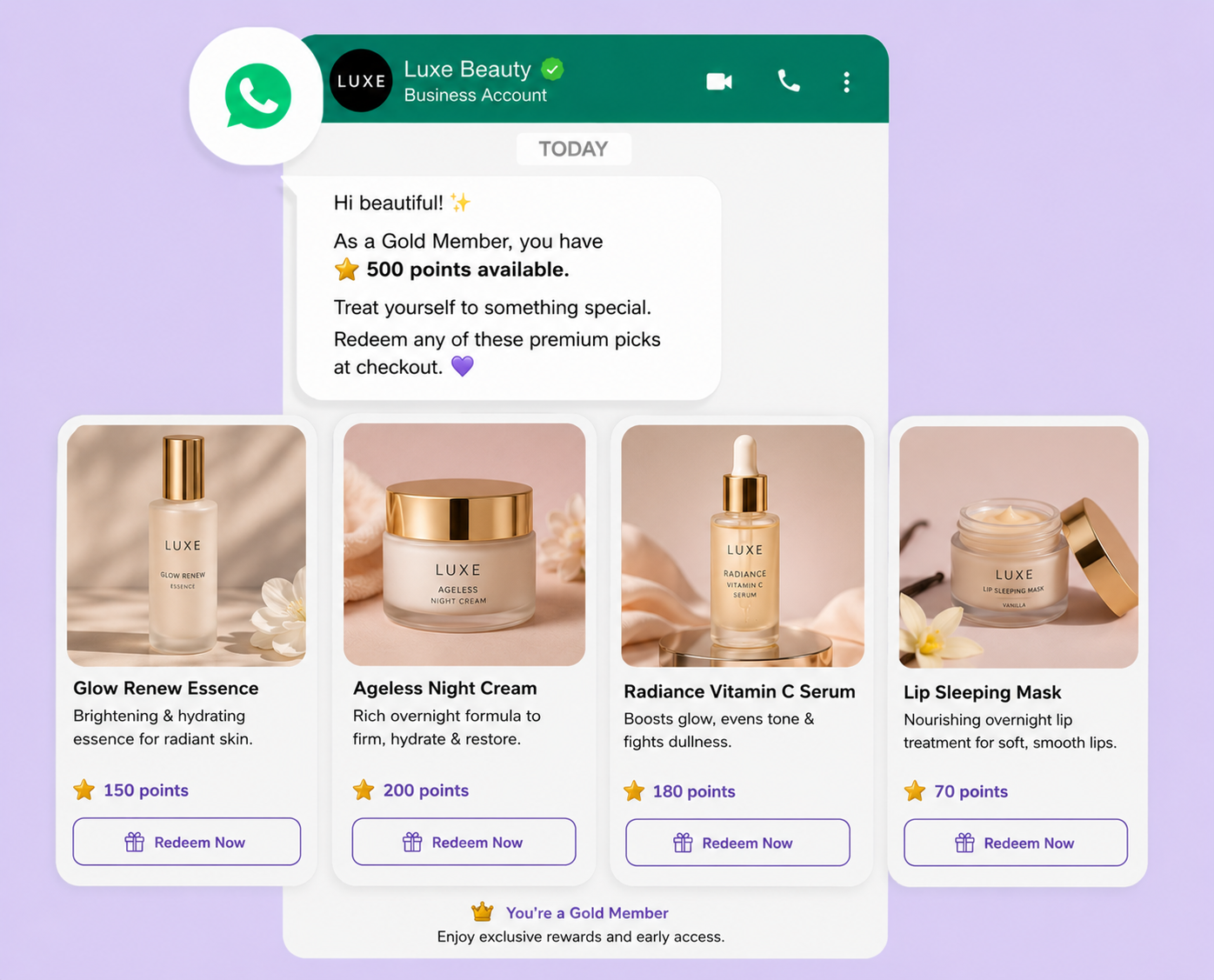
Generic loyalty points notifications feel like automated spam and rarely motivate members to return to their carts.
Use a WhatsApp carousel to combine a loyalty balance update with a personalized selection of products that the shopper can unlock using their reward points.
Comparison: Carousel vs. Single-Image vs. Catalog Message
Choosing the right format depends on your specific campaign goals. Use this breakdown to compare a WhatsApp carousel vs a single image template for retail, along with full catalog options:
Template Type
Best For
Limitations
Single-Image Template
Simple announcements, single-item flash drops, urgent service updates
Can only display one primary item and a single call-to-action link
Catalog Message
High-volume inventory browsing, general product exploration, deep search
Heavier interface design, slower mobile loading times, and less curated
Carousel Template
Curated product comparison, abandoned cart recovery, bundle breakdowns, and cross-selling
Limited to 10 cards maximum, requires identical media dimensions across cards
Strategic Rule of Thumb: Deploy catalog messages when you want your customer to browse your entire warehouse layout freely. Use a customized WhatsApp carousel when you have already narrowed choices down to a specific set of relevant items and want to prompt an immediate purchase decision.
Transform WhatsApp Into Your Sales Engine
WhatsApp carousels are a revenue-generating tool that turns conversations into conversions. Whether you're recovering abandoned carts or personalizing loyalty rewards, carousels put curated products directly in front of customers at the moment they're most engaged.
The data speaks for itself: customers are already on WhatsApp. They're checking messages faster than they open emails. They're more likely to engage with visual product showcases than generic links. When you deploy carousels strategically, you're selling to them where they already are, with minimal friction and maximum impact.
But building and managing WhatsApp carousel campaigns manually is time-consuming. You need the right platform to design templates, segment audiences, automate triggers, and measure performance, all without breaking Meta's technical requirements.
That's where ZEPIC comes in.
ZEPIC makes it simple to launch WhatsApp carousel campaigns at scale.
Ready to turn WhatsApp into your most profitable channel?
Book a demo today to see how D2C and retail brands are using WhatsApp carousels to increase AOV and recover lost revenue.
Your customers are waiting. Let's put your products in front of them.
Frequently Asked Questions
What is a WhatsApp carousel template, and how does it work?
A WhatsApp carousel template is an interactive message format available through the WhatsApp Business API that allows businesses to showcase multiple products, services, or offers within a single message. Users can swipe horizontally through the cards and interact with buttons attached to each card, creating a more engaging shopping and browsing experience directly inside WhatsApp.
How many products can you show in a WhatsApp carousel?
WhatsApp carousel templates support between 2 and 10 cards within a single message. Each card can include an image or video, a title or description, and one or more action buttons that allow users to learn more, view products, or complete a purchase.
Can WhatsApp carousel templates be used for abandoned cart recovery?
Yes. WhatsApp carousels are highly effective for abandoned cart recovery because they can display multiple products left in a shopper's cart within a single interactive message. This visual format helps remind customers about their selected items and encourages them to return and complete their purchase.
What is the difference between a WhatsApp carousel and a catalog message?
A catalog message provides access to your broader product inventory within WhatsApp, allowing users to browse your store. A carousel, on the other hand, is a curated set of 2 to 10 selected products delivered directly into a conversation. Carousels are designed to guide users toward a specific action or conversion, while catalogs support broader product discovery.
What category does a WhatsApp carousel template fall under: marketing or utility?
The classification depends on the purpose of the message. If the carousel promotes products, discounts, offers, or campaigns, it is categorized as a Marketing template. If it supports transactional or service-related communications, such as order information or customer-specific updates, it may qualify as a Utility template. The final classification is determined by the message content and intent.
How do D2C brands use WhatsApp carousels to increase conversion rates?
D2C brands use carousels to bring product discovery and purchase decisions directly into the chat experience. By presenting relevant products in an interactive format and enabling users to take action without leaving the conversation, brands reduce friction in the buying journey and improve conversion performance.
How long does it take to get a WhatsApp carousel template approved?
WhatsApp carousel templates typically pass through Meta's review process within 24 to 48 hours. Approval times may vary depending on template quality, content compliance, image specifications, and overall review volume. Clear messaging, high-quality media assets, and correctly configured buttons can help speed up the approval process.
How do you track clicks, conversions, and performance from WhatsApp carousel campaigns?
Most WhatsApp Business API platforms provide analytics for message delivery, read rates, click-through rates, button interactions, and engagement metrics. To track conversions, businesses typically use UTM-tagged URLs connected to analytics platforms such as Google Analytics or Shopify. Advanced customer engagement platforms can also provide attribution reporting, helping brands measure revenue, ROI, and campaign performance at the individual carousel level.





%201.png)


.png)