Meet

Neura HQ,
Your connected AI Agent Workforce Know more



Every customer conversation carries a signal. A question about a product is a sales opportunity. A complaint about a delayed order is an operations issue. A loyalty query is a retention moment. The problem isn't identifying these signals, it's doing something about them, fast, without dropping the ball.
That's exactly what Agent Assignment in ZEPIC is built for.
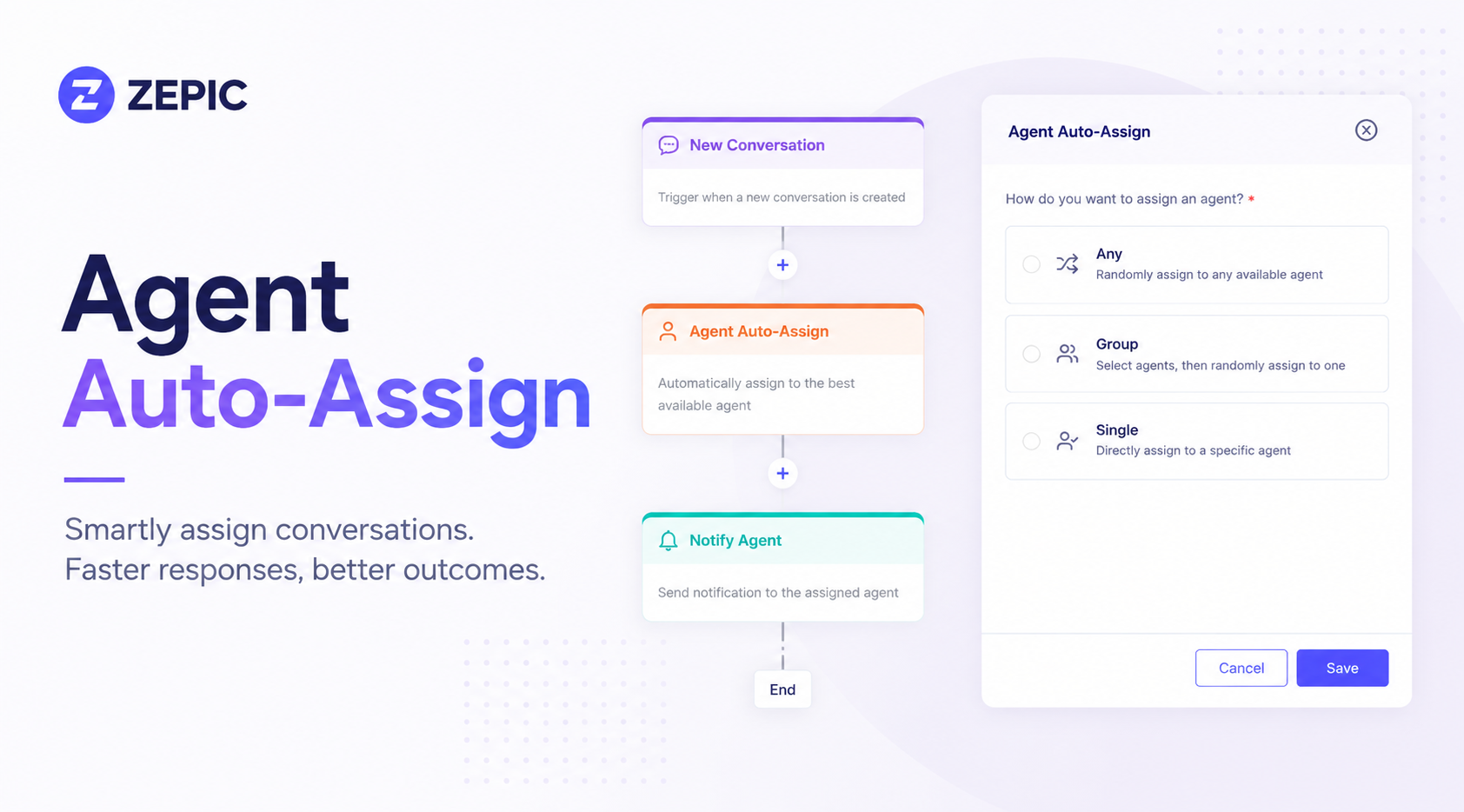
Agent Assignment is a block inside ZEPIC's chatbot flows for WhatsApp and Instagram. The moment a customer sends a message on WhatsApp or Instagram, ZEPIC reads the intent and routes the conversation to the right person or team, automatically.
No manual triage. No copy-pasting into another tool. No falling through the cracks.
Three ways to assign:

.png)
Routing a conversation to the right team is half the job. The other half is making sure it doesn’t pile up on one person.
When you choose Group, you now pick how ZEPIC selects the agent:
With Round Robin, every new conversation goes to the next available agent in the group, so no one is overloaded and no one sits idle. A burst of Instagram story replies from a campaign, or a spike in WhatsApp queries after a promotion, gets spread across your team instead of landing on whoever happens to be first in line.
It works well when:
To set it up, add the Assign Agent block to your flow, choose Group, select your agents, and pick Round Robin as the assigning method.
The real power isn't just routing; it's what you route to.
A customer messages, "my order was late" on WhatsApp; that's not just a support ticket, it's operational feedback. Assign it to your e-commerce or operations team to log, act on, and close the loop. A prospect DMs you on Instagram showing interest in a product; route them straight to sales before the intent fades. A loyalty member asks about their points; assign it to your CRM team to personally follow up.
Agent Assignment works across every use case your customer-facing teams deal with:
ZEPIC doesn't just keep it all in one place; it can push to the tools your teams already live in.
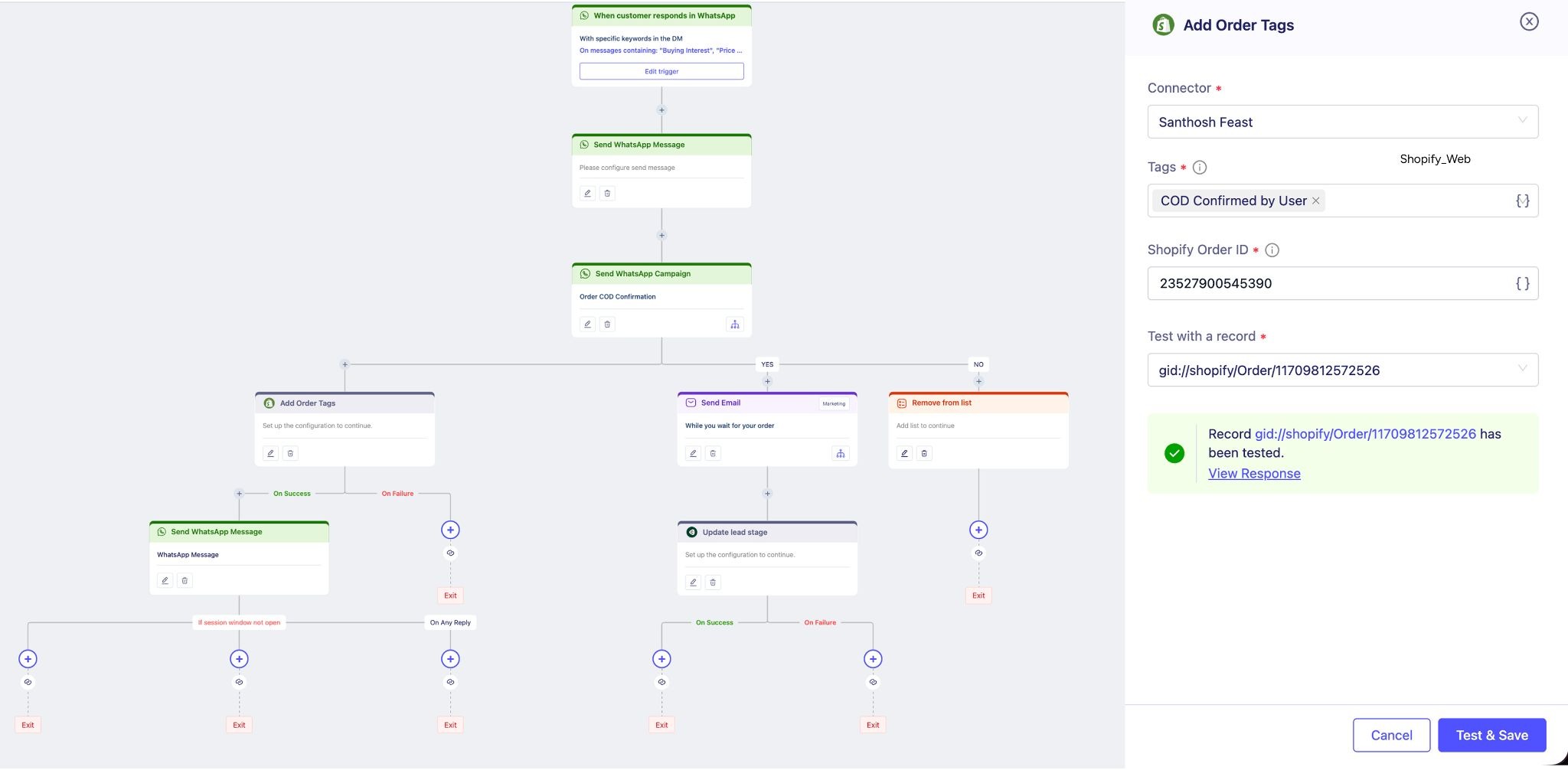
Assign the conversation to an agent inside ZEPIC, and simultaneously update your CRM. Create a support ticket in your helpdesk. Log the interaction in your operations tool. From the same flow, trigger follow-up actions on other channels: email or WhatsApp, based on how the customer responded.
For teams already running multiple tools, ZEPIC becomes the connective tissue. The place where the customer signal is caught, interpreted, and distributed, without anyone manually bridging the gap.
One of the most underrated benefits of Agent Assignment is what it does to the customer profile.
When a conversation gets assigned and acted on, that context feeds back into ZEPIC. The sales rep who took the call, the support issue that was resolved, and the feedback that was logged; it all lives in the same place as the marketing data, the campaign history, and the behavioral signals. The customer profile gets richer with every interaction, not just the ones marketing owns.
That's the shift. Customer-facing teams have always worked in parallel. Agent Assignment helps them work together—from one platform, with one shared view of the customer.
Add the Assign Agent block to any WhatsApp or Instagram chatbot flow. Choose your assignment mode: any, group, or single. Set your conditions based on keyword or customer intent. Done.
From a product inquiry on Instagram to a late delivery complaint on WhatsApp, every conversation finds its owner automatically.
Try Agent Assignment in ZEPIC → Book a demo

%201.png)