
|


Launch campaigns that sell out in no time

|

Countdown to
Launch campaigns that sell out in no time


Keep your existing WhatsApp workflows while unlocking API-scale automation. ZEPIC’s WhatsApp Coexistence syncs everything on one number instantly, with no migration or switching tools.
Book a demo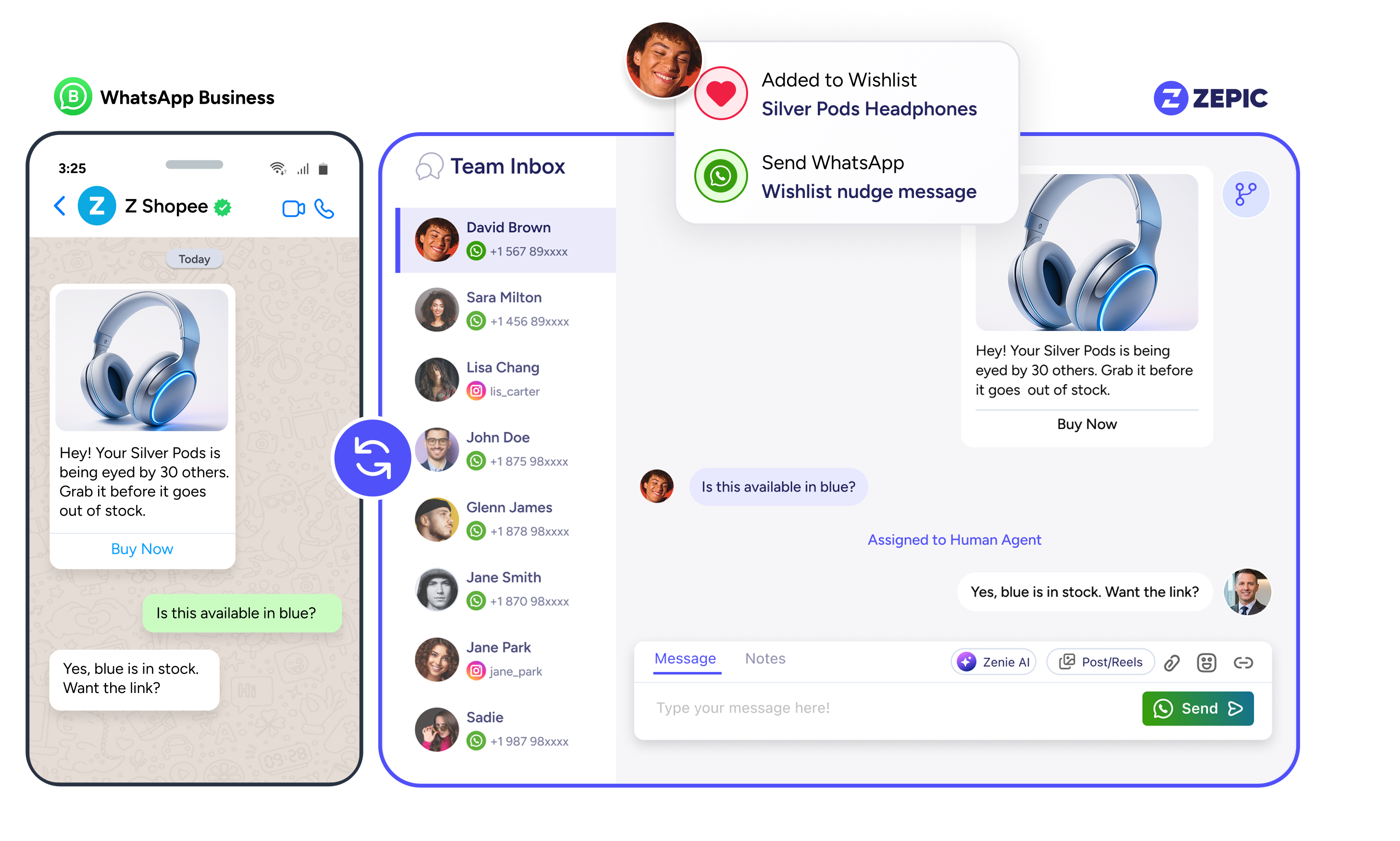






WhatsApp Coexistence lets you use your WhatsApp Business App number (not with consumer WhatsApp) with the Cloud API simultaneously. Messages sync automatically, giving you personal replies on the App and automated campaigns through the API—without switching tools or losing context.
From connecting your business and getting Meta approval, to creating templates with Zenie AI and launching your first WhatsApp campaigns, ZEPIC makes every step faster and easier, so you see results sooner.

Messages sync instantly across App and API—no broken threads, no lost context. One number, one complete history.

Automate broadcasts and flows through the API while your team handles quick replies in the App. No switching, no extra steps.

Keep your number, your chats, and your workflow. Onboard to the API in minutes with zero downtime or data loss.

Support, sales, founders, marketing—everyone uses the tool they prefer. Coexistence keeps everything aligned on one synced number.
From D2C founders to enterprise support teams, see how WhatsApp Coexistence helps different businesses work smarter.

Run automated journeys and broadcasts through the API while teams keep replying in the App—everything on one synced number

Move to API without losing chats, media, or contacts. Keep your number and history intact with zero downtime.

Distributed field reps reply through the App while marketing and CRM use API templates, insights, and automation—all working seamlessly together.

Upgrade to API capabilities without changing your existing WhatsApp number—the one customers trust and already use.

Requires WhatsApp Business App (not consumer WhatsApp)
Currently doesn't support blue tick verification
Numbers must be added to Meta Business Manager
Onboarding works from Business App to API only
Numbers must be actively used on the App for at least 7 days
Keep the latest version of app installed
Once you've enabled WhatsApp Coexistence, access all of ZEPIC's WhatsApp capabilities—from your app or the API.
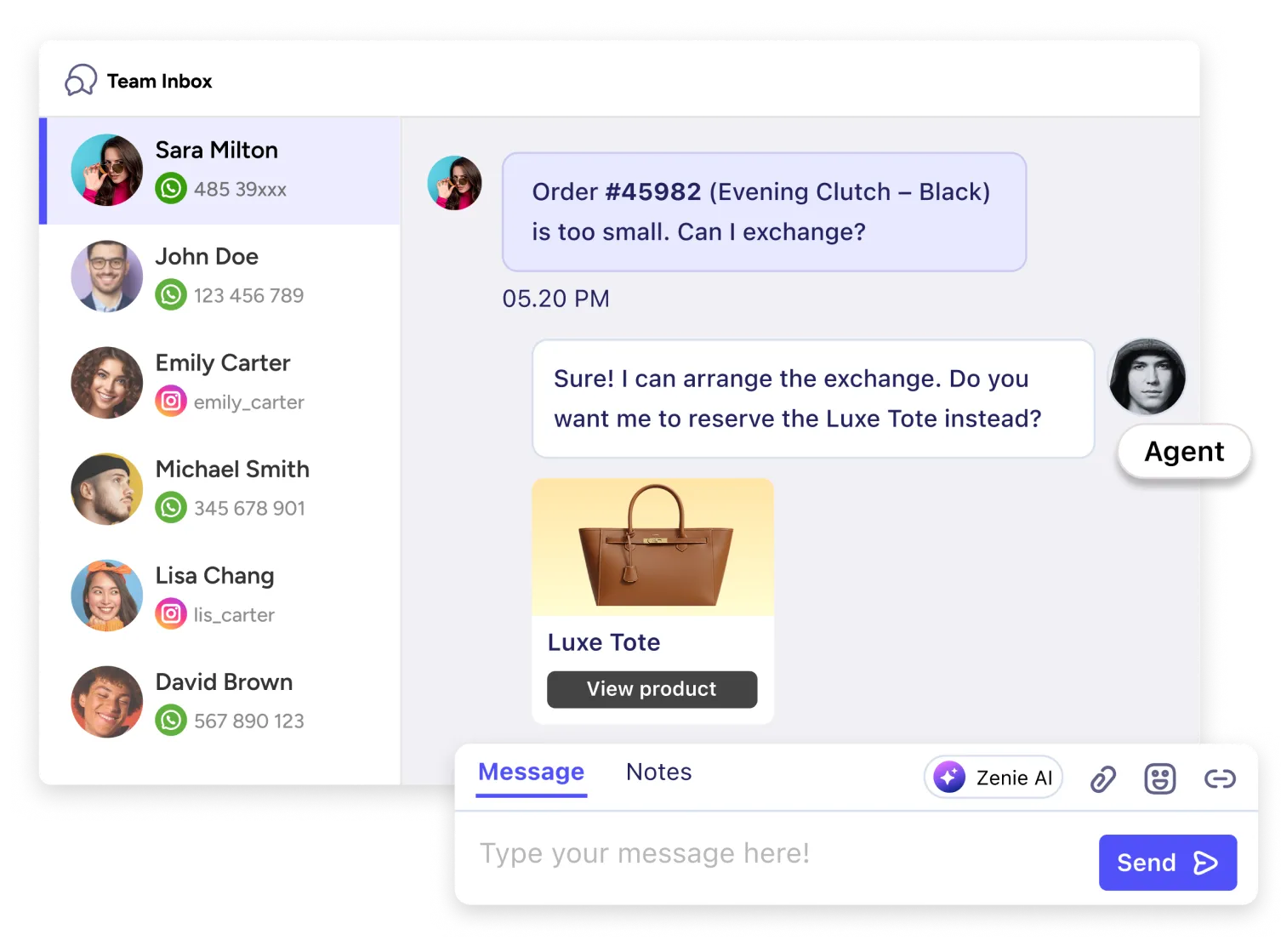
Manage all WhatsApp conversations in one place. Assign chats, add internal notes, and track response times across your app and API
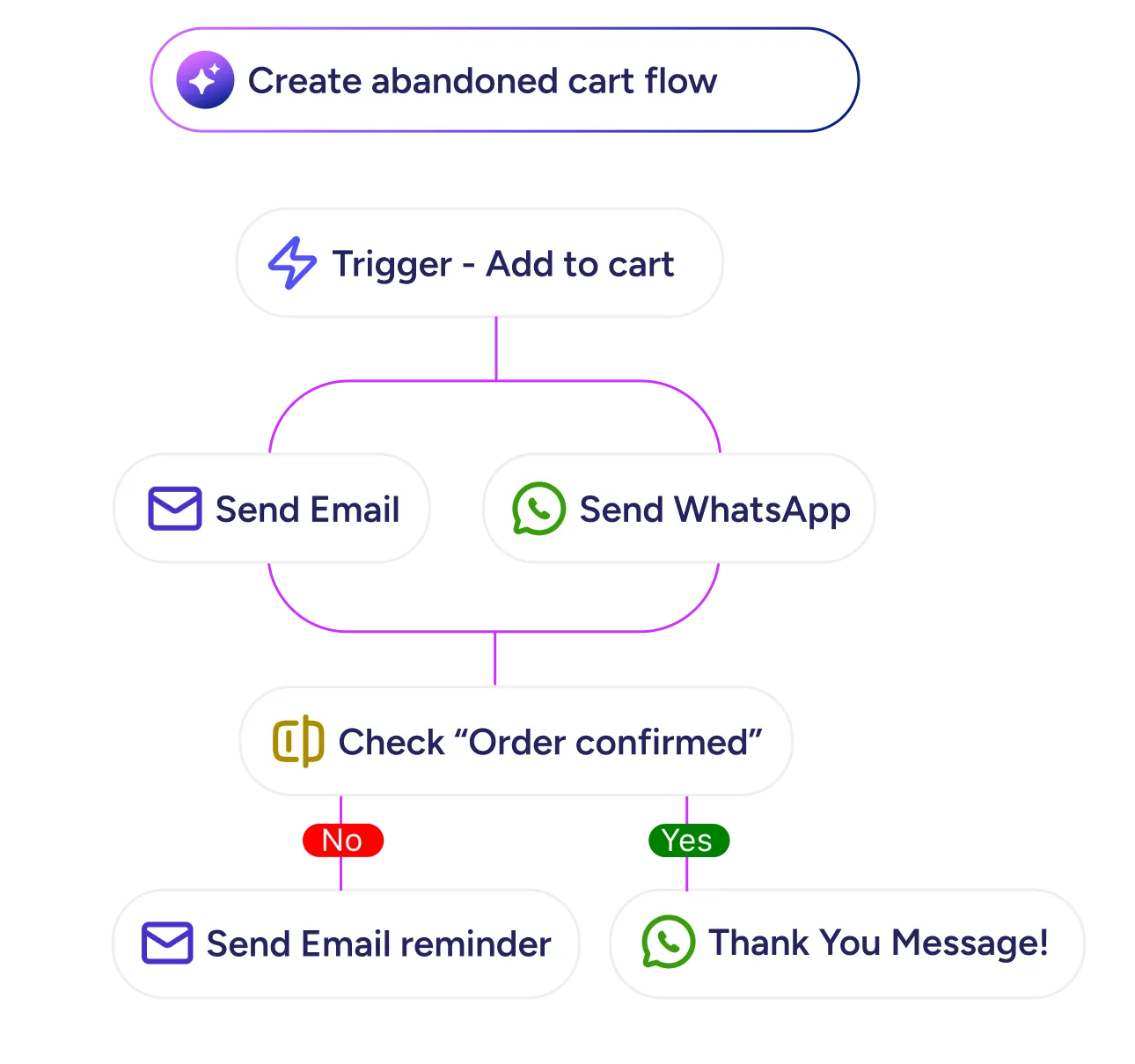
Use customer data to send personalized campaigns at scale through the API while your team handles personal replies through the app.

Use customer data to send personalized campaigns at scale through the API while your team handles personal replies through the app.
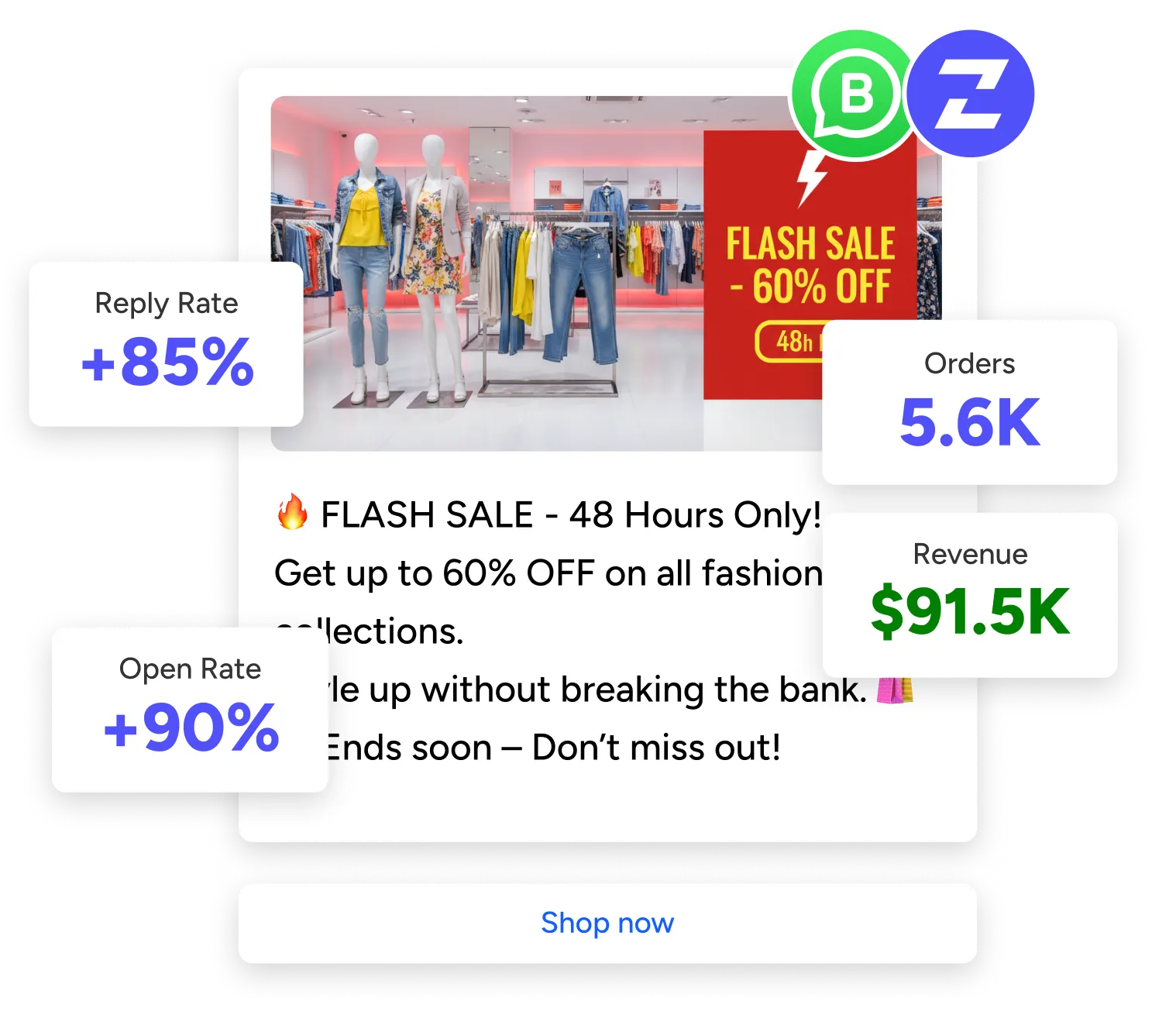
Track performance across both platforms. See which messages drive conversions and optimize your strategy with unified data.
Manage all WhatsApp conversations in one place. Assign chats, add internal notes, and track response times across your app and API
Use customer data to send personalized campaigns at scale through the API while your team handles personal replies through the app.
Track performance across both platforms. See which messages drive conversions and optimize your strategy with unified data.
Use customer data to send personalized campaigns at scale through the API while your team handles personal replies through the app.
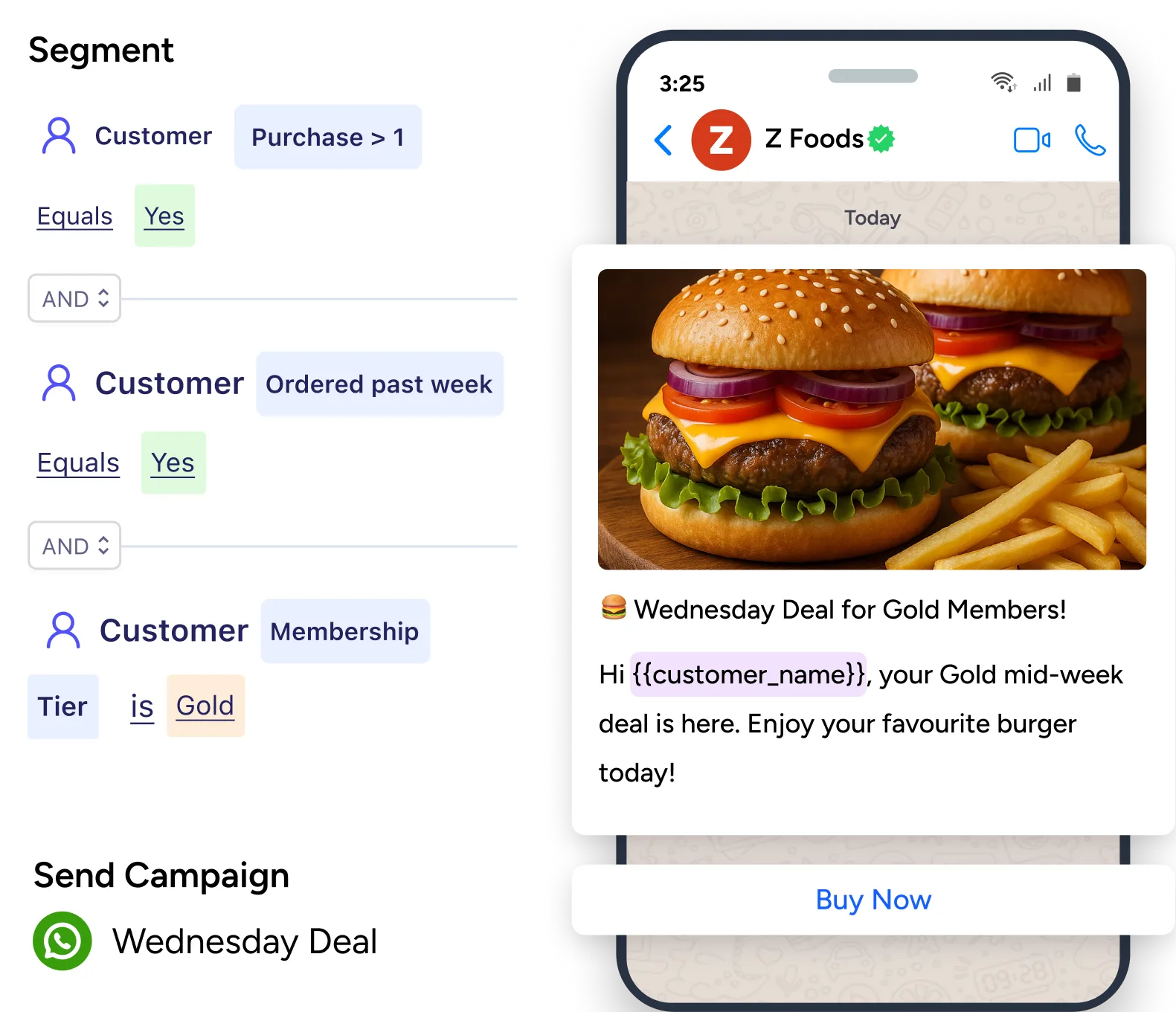
Get the power of Cloud API with the familiarity of the WhatsApp Business App.
Book a DemoEverything you need to learn about WhatsApp Co-Existence
WhatsApp Coexistence is a Meta feature that lets you use your WhatsApp Business App and Cloud API simultaneously on the same number. Messages sync automatically between both platforms through a system called "message echoes"—so conversations started in the app appear in your API dashboard and vice versa.
No. From your customers' perspective, nothing changes. They message the same number and get the same experience—they won't know whether you're replying from the app or the API.
Yes. You can continue using the WhatsApp Business App normally for day-to-day customer conversations. The app stays active on your phone while the API handles automation, broadcasts, and integrations in the background.
No. WhatsApp Coexistence only works with the WhatsApp Business App, not the consumer WhatsApp app. You'll need to have your number registered with the WhatsApp Business App and added to your Meta Business Manager before onboarding.
You can use your existing WhatsApp Business App number—that's the whole point of Coexistence. No new number needed, no customer-facing changes.
The onboarding itself takes just a few minutes. However, syncing your chat history and contacts can take up to 6 hours depending on the volume of existing data.
Your chat history syncs automatically. Up to 6 months of past conversations from the WhatsApp Business App will be available in your API integration and ZEPIC dashboard.
Some features are disabled or not synchronized: broadcast lists (use API templates instead), live location sharing, disappearing messages in one-on-one chats, message revoke, view once messages, and group chats won't sync between app and API.
Yes. If a conversation was started from the API, your team can switch to the app for quick replies and it will remain part of the same (free) service conversation. This flexibility is one of Coexistence's main benefits.
Yes. All messages sent via the API—including automated campaigns, broadcasts, and template messages—appear in your WhatsApp Business App, so you always have full visibility of customer conversations.
No. The Coexistence feature itself is free. You only pay for Cloud API usage based on Meta's standard conversation pricing. Messages sent through the WhatsApp Business App remain completely free.
WhatsApp Business App messages are always free and unlimited. API messages in 24-hour windows are billed by category (Marketing, Utility, Authentication). User-initiated conversations (Service) are free and unlimited as of November 2024.
No. If a conversation was started from the API, you can switch to the app for replies and it stays as the same service conversation—no duplicate charges. Just avoid sending the same message through both channels.
No. Meta currently doesn't allow Coexistence-enabled API numbers to apply for the Official Business Account (blue tick) badge. If verified status is critical for your business, consider standard API integration without Coexistence.
Not currently. Coexistence onboarding only works in one direction—from Business App to API. If your number is already connected to the API, you'll need to disconnect it first, reinstall the Business App, and then re-onboard with Coexistence enabled.
Supported countries include India, Mexico, Brazil, Indonesia, USA, Hong Kong, Singapore, and many others. Currently NOT supported in: European Union (EU), United Kingdom (UK), Russia, and some other regions. Contact our support to confirm availability in your region.
You must open the WhatsApp Business App at least once every 14 days to keep your Coexistence setup active. If you don't, the connection may be disrupted.
You can disconnect anytime, but doing so will deactivate your Cloud API access. Your WhatsApp Business App will continue working normally with all your chat history intact.

%201.png)


